
12 Days in Iceland, the Land of Ice, Water, and Fire
Fri, Jul 29, 2016
First thing first, 12 days is not nearly enough to visit this beautiful country. We probably visited less than half of the places we wanted to visit. If you truly want to enjoy Iceland and get the maximum out of a single trip, plan for a at least a full two weeks. And then plan to go back for another two weeks at some other point to see the rest.
B Notes: If you have only a week, stick to an area rather than spending time driving on the entire Ring Road. If I had one week, I would spend it in the Westfjords.
After spending 12 days and driving 3338 kilometers (2074 miles) in Iceland, we (L or me, B or wife, A1 Jianson - ~10, A2 Jiandóttir - ~8) all agreed that it’s definitely worth the trip.
Tips and Stuff
Planning for the Trip
Truth be told, we were procrastinators when it came to preparing for the trip. Aside from booking our tickets on WOW Air 2+ months before the trip, we waited until the weekend before the trip to actually plan for it. We basically planned our itinerary in a single day, after reading a bunch of blogs and articles online. A1 and A2 also helped by watching a bunch of Youtube videos (and learning a few words along the way).
B Notes: And don’t be shy to ask once you are there where you should go/buy/eat/see…the locals/fellow travellers can provide valuable tips that will help your journey.
I found guidetoiceland.is to be the most helpful. In fact, we found most of the places we want to visit by reading their suggestions. Check out their articles on:
- Best Attractions by the Ring Road of Iceland
- The 5 Best Hot Springs in Iceland
- Though we recommend skipping the Blue Lagoon (yes, contrary to popular belief) as the locals told us that the Blue Lagoon is man made and it supposedly doesn’t drain!! With thousands of people visiting each day, imagine the state of the water at the end of each day. And imagine people actually putting that white stuff on their face!!
- We didn’t fact check this so take this with a grain of salt.
- The Ultimate Guide to Driving in Iceland
- 14 Day Self Drive Tour | Circle of Iceland & The Westfjords
- 12 Day Self Drive Tour | Circle Of Iceland | National Parks
Other articles include:
We also found the Trip Advisor Iceland Forum to be a tremendous resource when it came to ratings of various attractions. Highly recommended.
Guide to Iceland offered self-guided tours where they will book everything for you, including cars and hotels. However, we found the pricing to be fairly expensive. We ended up building our own itinerary based on the suggestions from these self-guided tours. The downside is we had to book all the lodging ourselves.
The worst thing about being procrastinators and doing late planning is the extra headache and cost on lodging. I think between lack of lodging options, higher cost for lodging and farther out lodging options, it cost us USD$200-300 more than we would have liked.
Mobile Coverage and Navigation
Moile data is an important factor as I wanted to use Google Maps to navigate around Iceland, and didn’t want to rent a GPS unit. We also wanted to use Google Hangouts for phone calls and didn’t want to get a local SIM.
We did some preliminary research on SIM cards in Iceland but ended up using Google Fi instead. It turned out to be one of the better decisions we made for this trip.
Iceland in general has pretty good coverage. If you stay on the ring road, you should be able to get at least 3G coverage 70-80% of the time. In many cases, especially when you are near major cities/towns such as Reykjavik or Akureyri, you will get LTE coverage as well. Google Fi just announced their service upgrade to support the best service (e.g., LTE) right before our trip, so we were definitely happy about that.
However, if you go to areas such as Westfjords, or if you are in the mountains on the ring road, then coverage becomes very spotty. In some cases you can get 2G service, but in many cases in these remote areas the only thing you get is voice service. In Westfjords, we had “No Service” on our phone majority of the time.
We had Google FI data-only SIM cards for both of our iPhones. My iPhone 6 got pretty good signals most of the time when there’s coverage. For some reason, maybe it has a better antenna, B’s iphone 6S+ was able to get even better signals and sometimes LTE service when my iPhone 6 was only able to get 3G.
Between the wifi that’s available at most of the places we stayed and the Google Fi service, we had all the coverage we needed. Google Hangouts worked out beautifully over the wifi and data networks. I was able to keep my US Google phone number, and call any US number for free. To call Iceland, Google Hangouts charged $0.02/min for landlines and $0.15/min for mobile lines. Overall I spent $2.65 for 0.265GB of internaltion data usage on Google Fi for the 12 days we were there. For Google Hangouts, I spent $2.75 for the trip calling a few Iceland places. So altogether it’s about $5.40.
Google Maps worked out beautifully as well. In most cases, I set the navigation routes using the lodging wifi before heading out, and Google Maps stores an offline copy of the route so even when I lose mobile service, my navigation is not affected. The only thing I wish Google would make easier is managing multiple destinations on the iOS app, which I just saw the news that they are rolling out this specific change gradually.
So thanks to Google for these wonderful services.
Pass Time for the Long Drives
We were in the car quite a bit as we drove 3338 kilometers. With two young kids (10 and 8), we have learned from experience that the best way to keep them from fighting with each other, or asking “are we there yet?” every 5 minutes is to let them listen to lots of audio books. We loaded a 3rd iPhone (no SIM, so basically iPod) with a bunch of audio books like Harry Potter, Judy Blume and others, and the whole time we were driving they were listening to these. Certainly helped keep us sane.
B Notes: All and all, I am grateful for that our fellow travellers in the back seats were cooperatives and came with us on this incredible adventure. Never underestimate the value of books on tape, crackers and chocolates! :-)
Amazon Prime Music also proved to be very useful as well. I downloaded a bunch of prime music onto my phone before the trip, and listened to them during part of our trip. Though in most cases we were enjoying the view on the road and forgot to turn on the music.
Assuming data coverage is available, TurnIn radio also proved to be useful for catching up on US news. We didn’t mind using up a bit of data to keep up with the news.
Other Electronic/App Stuff
Here are some other electronic stuff you might want to consider bringing.
- BESTEK Grounded Universal Travel Plug Adapter for France, Germany or similar
- This is a 3 pack, but if you don’t have a lot of electronics, one is sufficient. For us, we didn’t bring any computers.
- USB Charger RAVPower 50W 10A 6-Port USB Charger or similar
- Well worth bringing this. We had 3 iPhones (1 technically is an iPod), an action camera battery charger, and a couple other electronic items that all needed charging.
- This charger can do all of them at the same time and we didn’t have to go hunt for a bunch of outlets and use a bunch of plug adapters.
- Apps
- As desribed above – Google Maps, Google Hangouts, Amazon Prime Music, TuneIn
- Google Translate is a great app for translating labels on food packaging. We used it quite a bit since A1 is allergic to nuts.
- Reykjavik Map and Walks is a great little app that gives you most of the attractions you should visit in Reykjavik. I used the free version with a combination of Google Maps to walk around the city.
- TripAdvisor Hotels Flights Restaurants for reading reviews and recommendations.
- Commander Compass Lite to get GPS location and many other interesting location tidbits. Technically you can use the Apple Compass app to get GPS location but this one provides more info.
For the first time in my life I didn’t bring a computer with me for a trip. It’s by far the longest period of time that I don’t have a computer since laptops become portable enough to carry. It was fine at the end. I just had to make sure that we mass delete a bunch of photos from both of our iPhones before the trip to ensure there’s enough space for videos and photos.
Clothes, Shoes
Dress in layers is the best advice we have read, and it’s absolutely true. Even in July, the weather can be somewhat unpredictable. We started with a few days with really nice weather, then as we moved to the northwest (Westfjords) and the north, the weather became cooler, windier and overcast.
Our typical layers include a short sleeve, a long sleeve, and a warm jacket. Since we were going to visit the glaciers and waterfalls, we also brought rain jackets (or waterproof outer jacket) and gloves. The rain jackets proved to be extremely useful!
We have read that waterproof pants would be needed, but that didn’t turn out to be the case. In most cases quick dry pants (like these) are more than sufficient.
We also brought good waterproof hiking shoes (like these, or these for kids), which turned out to be a MUST for this trip. With the rugged terrain for many of the places we visited, shoes with good traction will make it much easier. We saw some tourists with fairly flat footwear, or sometimes even with heels. Honestly I have no idea how they survived some of the more rugged areas.
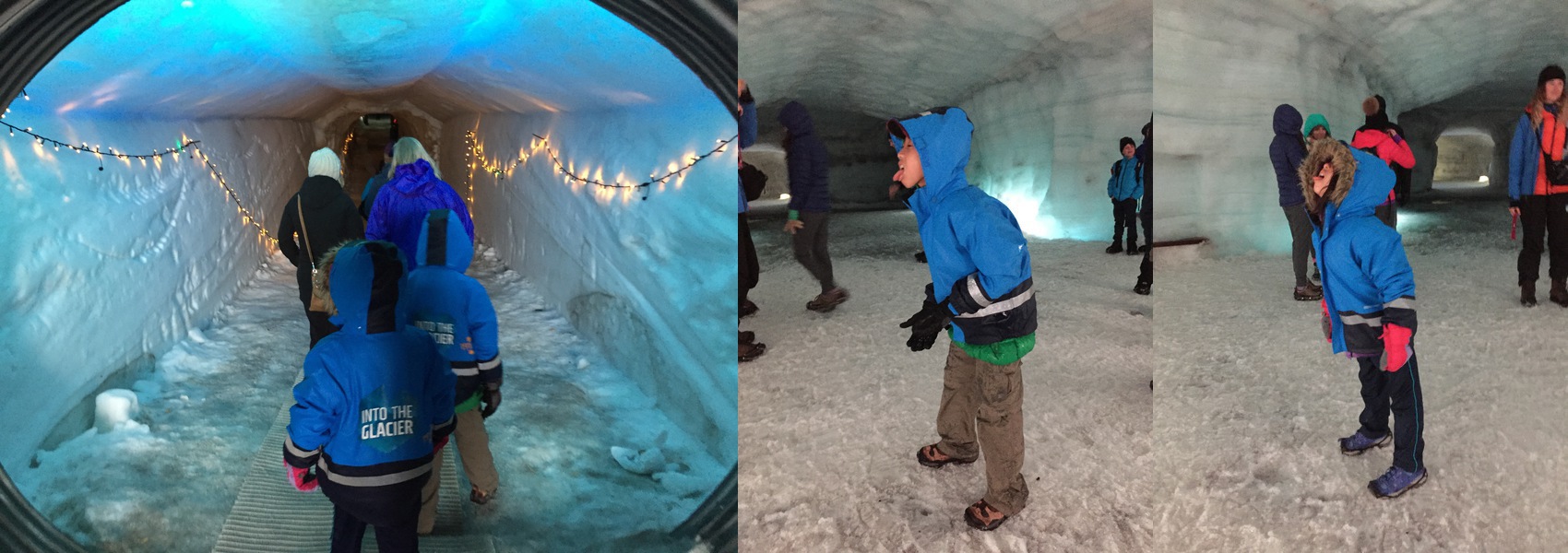
The waterproof shoes also proved to be extremely useful when going INTO the glacier. Given it’s July, the top layer of snow is melting and the water goes through the ice and drips into the glacier tunnel we visited, so sometimes there’s a layer of water 1⁄4 - 1⁄2 inch deep that we need to walk through.
Other stuff to bring include sunglasses (must, especially for glacier hiking in the summer), sunscreen, and maybe a hat for each person.
B Notes: We also each brought a pair of sandals/flip flops. Most Airbnb/Guest House have a mud room which you will need to take of your shoes. It also help with all the swimming pools we visited. Lastly, if you accidentally fell in the river, you would have have something to wear while you try to dry your hiking boots and socks on the dashboard. :-)
Car Rental
To start, we looked into the option of renting a 4-person campervan. It seemed like a great (and probably more economical) option to travel in Iceland as you can set your own schedule. Unfortunately we didn’t realize this was an option until too late (note we procrastinated until the very last minute to plan). Also, most campervans seem to be manual and neither myself or B know how to drive that. So that option is out regardless. If we go back, I would definitely look at this option again.
Given it’s July (no snow!) and we weren’t planning on going on any F roads (and off-roading is illegal), we decided to rent a small 2WD. We rented a cool little blue Honda Jazz via Guide to Iceland. Guide to Iceland is actually a broker, and the final car rental company is IceRentalCars.
After reading through multiple forum posts on Trip Advisor, we learned that most car rentals include basic insurance service called Collision Damage Waiver (CDW). This is automatically included and cannot be taken off (in most cases). Because of this inclusion, you cannot use your credit card rental insurance to cover the car as most credit card companies require that you waive ALL insurance provided by the rental company.
We have read enough of not-so-great stories about car rental companies that we decided to accept the basic CDW and additionally purchase the Super CDW (SCDW), which in effect lowers our liability even more. In addition, given that we are traveling to Westfjords and having read that most roads there are gravel roads, we purchased Gravel Protection (GP) as well. While it’s a bit more expensive, we wanted the peace of mind of not having to deal with international insurance issues when something bad happens. Note that no insurance cover water damage or damage to the frame of the car.
Overall we had a pretty good experience with both Guide to Iceland and IceRentalCars. When we arrived at the airport, we were picked up by a driver that drove us to the car lot (extra cost). We did some quick paper work and were handed the keys. We did see another couple who had to go through the insurance struggle while there (trying to not get insurance and use the credit card insurance coverage) and glad we did the research before hand.
Learning from the forum posts, we also took A LOT of detailed pictures of the car to make sure all the scratches and dents are identified. We had the rental person mark every little scratch we found. There weren’t many since the car looked fairly new. We did miss one scratch but luckily the picture we took had it.
At the end though I don’t think it would have mattered, since the person who received the car only did a cursory look to ensure there’s no water or frame damage. Maybe he did that because we bought both GP and SCDW insurance.
Driving in Iceland
Driving in Iceland is fairly straightforward if you are an experienced driver from the US. The driver is on the left side and you drive on the right side of the road, just like home! However, it is still best to familiarize yourself with the road signs. This is something I did after I started driving there and wondered what some of the signs meant. Worth spending a few minutes before hand. This is also a good article on driving in Iceland.
Typical driving speed is 90 kmh on the paved ring road, 80 on the well-maintained gravel roads (part of the ring road on the east is gravel), 60-70 on some of the turns, 50 inside cities and 30 in the residential areas. On some really bad gravel roads like in the Westfjords or the Öxi pass, you may need to slow down even further.
In general we found there were 4 types of roads in Iceland:
- Paved roads
- Most of the ring road is paved and well maintained. Drivers should have no problem.
- Many drivers drive about ~10-15 kmh over the speed limit of 90. I would recommend staying under 10 kmh over.
- Passing slower drivers, RVs and trucks are fairly common on paved roads.
- Good gravel roads
- More like packed dirt road with no rocks or potholes. Fairly well maintained and drivers should have no problems.
- A good part of the road going into Westfjords and some of the roads IN Westfjords are like this.
- OK Gravel roads
- Definitely gravel and rocks but still manageable.
- Some parts of the road going into Westfjords, and a good part of the roads IN Westfjords are like this.
- The Öxi pass is in this category, though some people may put this in the BAD category. I found it to be ok, and I drove through heavy fog.
- BAD gravel roads
- The road going to Látrabjarg (bird cliff, west-most point of Europe) is BAD. Good size rocks and deep potholes everywhere.
- The worst gravel road I drove is the 4-5 kilometers I drove to the edge of the glacier. It was 100% gravel and rocks and I think I drove ~20 kmh the whole time on our little Honda Jazz.
- We didn’t rent a 4WD but driving these roads made me wish we did.
Almost none of the roads, regardless of the types above, have shoulders where you can stop. Most of the roads are fairly narrow. Sometimes there’s a bit of gravel space you can do a quick stop and take a few pictures but the car is still have on the road. And believe me, there are many places you want to stop and take pictures. So just be very careful and don’t stop at a location where other cars can’t see you (like at a turn).
There’s also very few guard rails on any of the roads, so sometimes you might be driving next to a steep cliff. There are some, just not many. For remote moutainous areas, I recommend using the middle of the road (yes, cross the line if there’s one) as that’s a bit safer and give you more space to maneuver. I’ve seen quite a few locals do that. Just make sure you watch out for curves or section of the roads where you have no clear visibility.
Most of the bridges in Iceland are single lane bridges. This means one side has to wait for the other side to cross first. Most of the time you should have no problem spotting cars on the other side. Between Vik and Reykjavik, however, most of the bridges seem to be two lanes. We did drive through one long-ish one-lane bridge that had expanded areas in some sections in the middle for cars to stop. I think it was between Höfn and Vik.
Keep your headlight on ALL THE TIME. This allows cars passing others to spot you from farther away. Also sometimes you will drive through pretty heavy fog, especially in the moutainous areas. We drove through a section on the East with heavy fog that lasted probably 30 minutes, and it was very difficult to see the car in front and behind us without their lights.
On passing, typically the slower car will turn on the right turn signal to let the car behind know that it’s ok to pass since the slower car typically has better visibility of what’s coming. Not sure if this is an official rule but it’s defintely practiced on the road by the locals.
Some of the forum posts suggested that gas stations are fairly far apart and cars should never have less than 1⁄4 tank of gas. While both statements are true, I never found that I would use 1⁄4 tank of gas before seeing a gas station. Maybe some of the bigger SUVs will see that, but not the Honda Jazz at 32 avg MPG.
Gas is EXPENSIVE. It was about $6.4/gallon when we were there. At 32 avg MPG, driving 2074 miles cost us over $400 in gas. I am sure we weren’t getting 32 MPG either since we went up and down a lot of mountains. So probably around $450 in gas.
Most of the gas stations you will see on the road are N1 gas stations. If you don’t have a credit card with PIN, I would recommend getting prepaid N1 cards that you can use at N1 gas stations. You can get these cards at any manned N1 gas station. There’s also OB and Olis gas stations but they are typically closer to towns. Our car rental company gave us a card that we can use to get 10% discount at any OB and Olis gas stations, so we used them as often as we can find them.
Last but not least, watch out for those tourists! They like to stop, sometimes in the middle of the road, to take pictures!
B Notes: By proxy, each stretch of our drives couldn’t be longer than two hours because of the A1’s and A2’s liquid intake. Like one of the Iceland blog I read, you may find yourself in need of the loo but it may be 150 km away. Most of the time, you won’t find a good spot to be unseen for your business. That said, all the gas stations we stopped had clean restrooms. You can also refill your water bottles, buy a hot dogs or two and pay more for less junk food. Another thing you need to pay close attention to are cylists who are sharing the narrow road with you. My jaw dropped a few times when I saw a cylist trying to ride through an area which are FAR from the next town. What took us 20 minutes from one town to another could be HOURS. Another impressive sight was when we saw a couple pulling a small trailer with an infant on our way to Dynjandi. We were at high altitude!!!. Other than the trailer, I also noticed the bright green Ikea children porter potty strapped to the very back of the pack on the bike.
Lodging and Accomodations
As we mentioned before, procrastinating probably cost us a good USD$200-300 more. So lessons learned here is to book lodging early. Also, you will have a lot more options.
Of the 11 nights we were there, 6 were through Airbnb and 5 were in guest houses we emailed directly. For guest houses, you should be able to book them directly from bookings.com if you do it early. However, with us doing last minute booking, we had to email every guest house we can find on the websites. Took us a while but we were finally able to find lodging for the entire trip.
So if you start your planning early, use Airbnb and Bookings.com. If you are procrastinators like us, I would recommend starting at visiticeland.com. From there, click through each of the regions you are visiting such as East, West, Westfjords, South, North, etc, and from there, you will click through to the regional sites such as south.is, east.is, northiceland.is. And from there, you will find the link for “where to stay” that will list all the guest houses or hotels in the areas. Almost of them will have emails or phone numbers you can use to contact them directly.
Altogether, we spent 2 nights in Reykjavik (Airbnb), 3 nights in Bjarkarholt (Westfjords, direct email) and 3 nights in Ólafsfjörður (North, Airbnb), 1 night in Höfn (Southeast, direct email, the locals apparently doesn’t want to be categorized as South or East), 1 night in Vik (South via direct email) and 1 night in Reykjanesbær (Airbnb).
Two of the areas we stayed, Bjarkarholt in Westfjords and Ólafsfjörður in the North, we would have preferred to stay closer to the attractions, but beggers can’t be choosers so we settled.
For the sharp-eyed readers, you will also notice that we skipped the West Iceland areas such as Snæfellsnes. We originally booked a night in Grundarfjörður via Airbnb, but due to some schedule change (adding the Into the Glacier tour), we had to skip the area. It is one of the regrets we have for this entire trip. If we had a couple more days (full 2 weeks), we would have spent the time there.
Oh one thing to note is that not all guest houses or Airbnb places provide shampoo or soap. So I would recommend you have a small bottle just in case.
B Notes: In one of the guest houses we stayed, the owner told us that we could have the European contiential breakfast because “everyone who stays can come eat here”. When we checked out, he charged each of us 10 Euro for breakfast. I wish he would have been more upfront about the cost and I wish I asked before we ate my 5 Euro two pieces of jelly toasts! We could use the 80 Euro towards our food budget.
Cash and Credit Cards
Every place, except one, that we went to, no matter how small or large, took credit cards. Even the paid WCs (toilets) took credit cards. So for the first time ever visiting a foreign country, I didn’t carry any local currency. The one place that didn’t take credit card is a guesthouse. But they do take USD for payment so I paid in USD cash.
I highly recommend getting a credit card with no foreign transaction fees. Otherwise you end up paying 3% (pretty typical) on top of every charge. NerdWallet’s Best No Foreign Transaction Fee Credit Cards of 2016 article is one of the best I’ve read. After going through it in details, I got a BankAmerica Travel Rewards card which had no annual fee.
If you plan to get a new card, I highly recommend getting one at least 3 months before your trip, so you can build up the credit and get the bank to increase the credit limit. Otherwise you are stuck at a couple of thousands of dollars in spending credit.
I also highly recommend getting a PIN for your card. While most manned loations will have paper copies that you can sign, some of the unmanned gas stations will only accept credit card with PINs.
B Notes: If you don’t plan to use plastic like we do for your trip, some coins will come in handy for restrooms and some hot pools (some hot springs require payment).
Food and Shopping for Food
This section is written by B since her mastery of food and budget cooking really helped us keep within budget.
Most supermarkets in Iceland don’t open until 11 and usually closes by 6 or 8 pm (1800 or 2000). We mainly shopped at Bónus but have done some food purchasing at gas stations, neighborhood supermarket and specialty shops. In a pinch, you can get snacks and food at gas stations when they are opened. Obviously, the price will not be as good as a limited operating hours of Bónus or other supermarkets.
Iceland supermarkets have walk in icebox where they keep all of perishable items. There, you can buy fruits (very limited as they are all imported), meat, and dairy products. Because of budget, I stayed close to pasta, potatoes and some meat (lamb loin was delicious). Since we didn’t have a cooler, I bought frozen vegetables as ice pack to keep our perishable items cold while we travelled from one destination to another.
Given all the coastlines in Iceland, I was surprised that there aren’t great selections of fresh seafood at the stores. I never had enough time to find out why. You can find loads of frozen seafood. I found a bag of seafood mix from Norway (?!). Lox and fresh salmon are available though. During our first trip to the grocery store, I simply asked the clerk which lox she liked and what should go with it. The lox and dill spread she recommended were delicious!
Perhaps we are spoiled from the fresh fruits in our area, I was disappointed at the fruit selections in the supermarket. During our trip, I only bought one orange (tasted good) and two golden delicious apples (:-< ). Like I mentioned above, I bought big bags of frozen cauliflowers and mixed vegetables to keep a balance diet for the family. Below is a sample shopping list. I try to stick to these items to create flexible menus for the family depends on the cooking appliances we have available for us at each location.
- Pastas (1lb bag could feed four of us with a little left over for a hearty breakfast)
- Eggs (hard boiled eggs are king. They provided good source of protein during long drives)
- potatoes
- Fresh leeks (great favorite to add to pasta or potato stew)
- Butter (sometimes they don’t have oil in place we stay; anything tastes better w/butter)
- Bread loafs (sliced bread may be better; a good butter/jelly sandwiches also help keep the kids quiet during long drives) J
- Canned diced tomatoes (didn’t work out in one of the places because there was no can opener)
- Rtiz cracker (not something I would buy in the US but easy snacks for young children)
- Yogurt/Yogurt drinks (you will find skyr; a taste Icelandic yogurt; some brands tastes better than others for us)
- Icelandic chocolate
- Maltsers
- Bacon
- Lamb loins (expensive but worth the money; I made a lamb, potato and leek stew that turned out well)
- Bacon
- Ham
- Hotdogs at gas stations (Sidenote of the hotdogs: each region put their sauce differently. Some put ketchup, mustard and mayo on the bun first before the hot dog. Also, their ketchup is a dark brown sauce rather than the bright red one in the US. You can add fresh onions or deep fried ones. The deep fried ones added a special crunch and flavor to the hotdog! Yumm!)
L Notes: If time works out, I would recommend stocking up at the Bónus Discount Store after getting your rental car.
Swimming Pools
This section is written by A1 and A2 since this is their favorite activity for the whole trip.
Nearly every town in Iceland has a swimming pool. Most of them have water slides. The swimming pool on the westman islands was a awesome experience, you first need to shower without a swimsuit and then enter the pool. When I first glimpsed the inside of the pool they had a basketball hoop in the water. When I hurryed outside I saw a 2 waterslides 1 with what seemed to be a trampoline after the tube, the other was just a regular waterslide with 3 connected together. There were 4 hot tubs 3 round and 1 big rectangular one. The other swimming pool is connected to a baby pool, another attraction is the rock climbing wall it has 2 faces 1 face is quite easier the other is has very small rocks/stones to climb on. The inside pool can get much deeper you should not take a child who can’t swim into the deep end. There is also a very shallow end that has the basketball hoop me and my father had great time playing with that.
Ólafsfjörður swimming pool me my mom and my sister and me went to this swimming pool again you had to shower without your swimming suit, the waterslide is superb it is mostly dark but here and there, there are strips of colored lights. There is a swimming pool with a shallow and deep end. A baby pool and 3 hot tubs. It is recommended if your kids like waterslides to get there early because if you arrive late it will be very crowded.
Itinerary
With 2 kids at 10 and 8 and needing a lot of sleep (10-12 hours or we will suffer the consequences later), our schedule is not at all rigorous. I am probably the more aggressive one in the family in having more activities, and probably would have preferred to see a couple more attractions, but at the end it all worked out.
Also, most people driving the ring road will do so counterclock-wise, we did it clock-wise. Looking back, I don’t think it would have made much difference. Either direction will work if you plan your itinerary right.
Day 1 - Arrival, Reykjavik, Swimming Pool
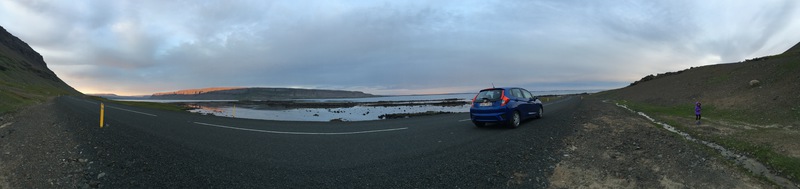
Our plane landed at ~4AM in the morning. We didn’t sleep much on the plane so we were all pretty tired. IceRentalCars had someone pick us up at the arrival hall and took us directly to the car rental office. After some quick paper work, we were handed the keys to a nice little blue Honda Jazz (aka Honda Fit in the US) and were on our way to Reykjavik.
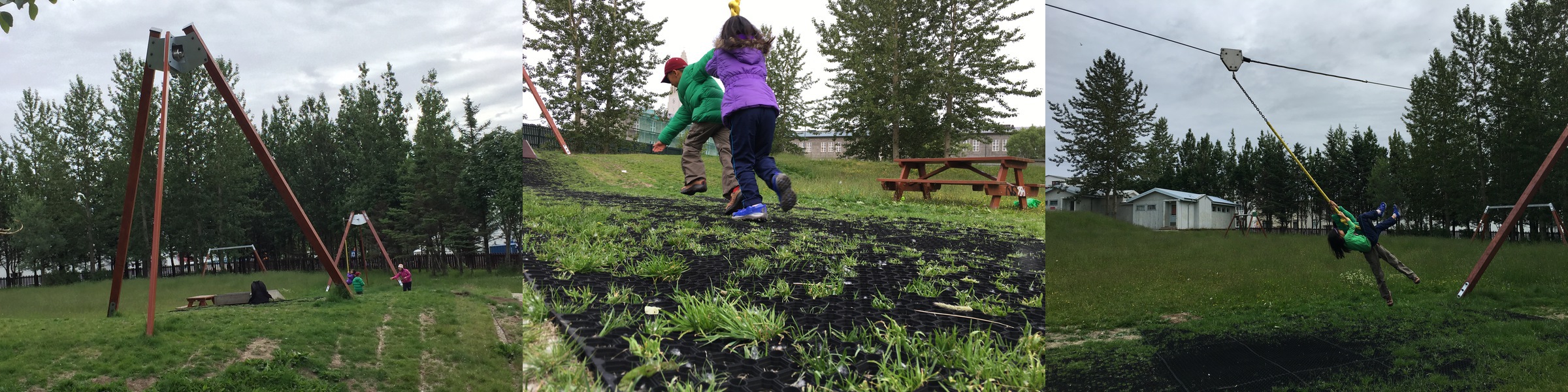
We drove ~45 minutes to Reykjavik and found our Airbnb apartment, which wasn’t ready yet since it was early in the morning. However, A1 and A2 were extremely happy that they found a couple playgrounds. One of the playgrounds (64.141723, -21.922235) had an awesome zipline where A1 and A2 spent quite a bit of time.
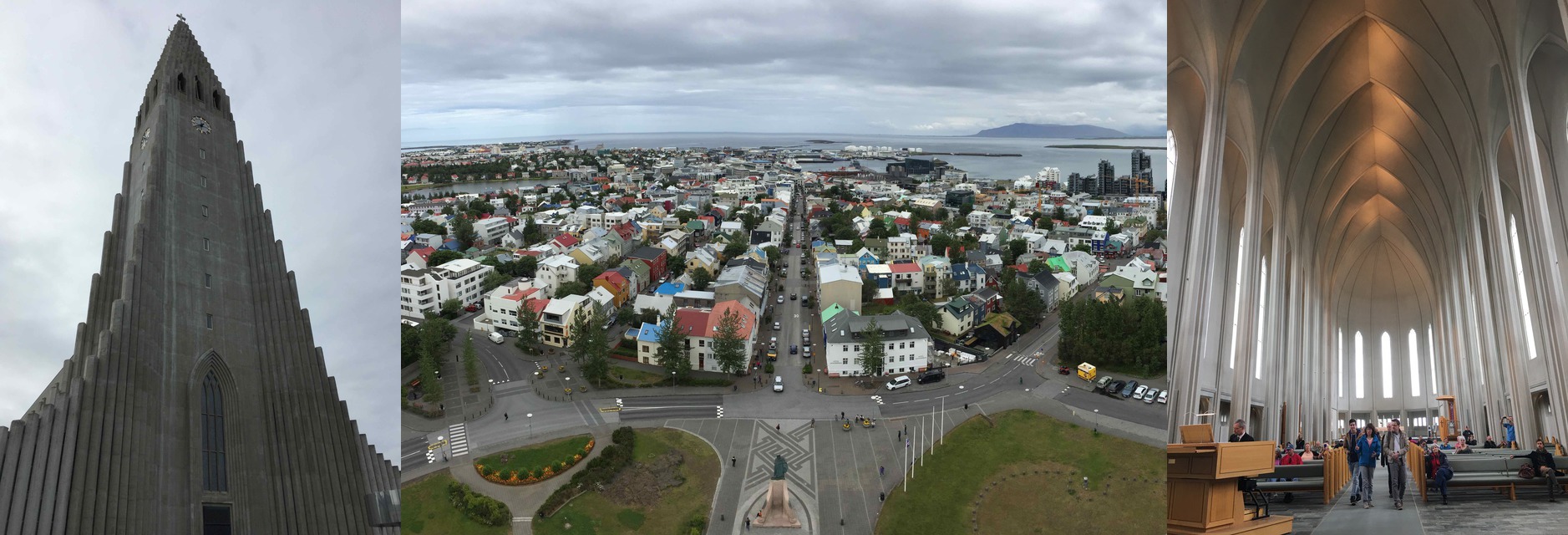
We then visited the magnificent Hallgrimskirkja church, which is considered the most beautiful church in Reykjavik. Going to the top (about 400 or 500 ISK per person) gives you a awesome view of Reykjavik in all directions.
B Notes: In my humble opinion, the view on top was not impressive. I didn’t think it was worth the cost or hike. Inside the church, however, was wonderfully calm. When were there, an organist was playing the organ. I could spend more time there listening and taking in the impressive interior.
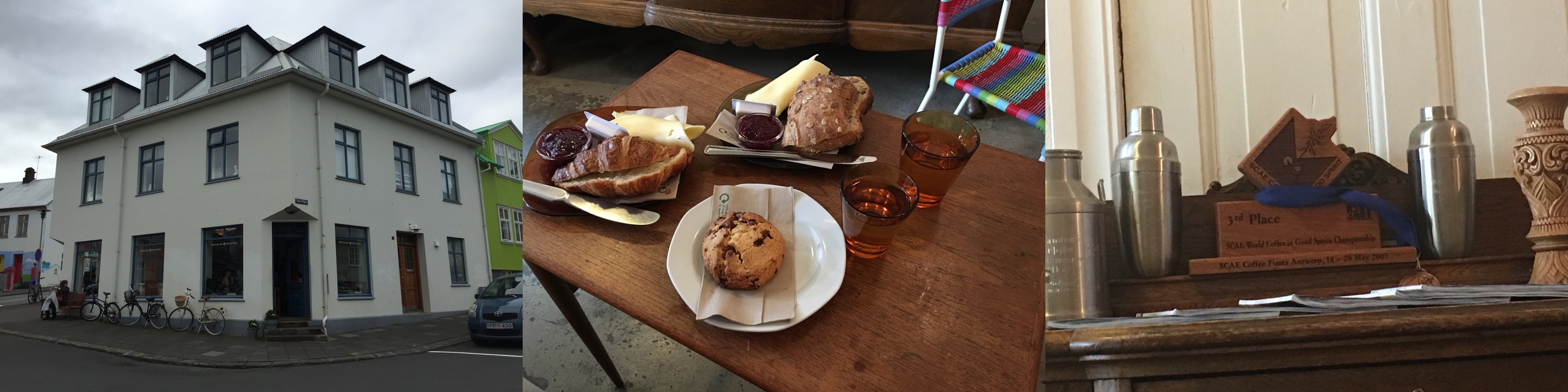
While we were there, we also stopped by Reykjavik Roasters for a quick cup of java and some pastry. In general we found the food to be pretty expensive there.
B Notes: The pastries at Reykjavik Roasters were delicious. We had crossiants and scone. The jam and butter were wonderfully fresh.
From Hallgrimskirkja, we walked to the Kolaportið flea market. Unfortunately it was not the best use of our time. Unless you are really into old stuff from flea markets, I would recommend avoiding this.
B Notes: Kolaportið flea market would have been a Goodwill not a flea market. I was hoping to see Icelandic antiques but what I saw were old crocs and new cheap plastic things from China. :-/
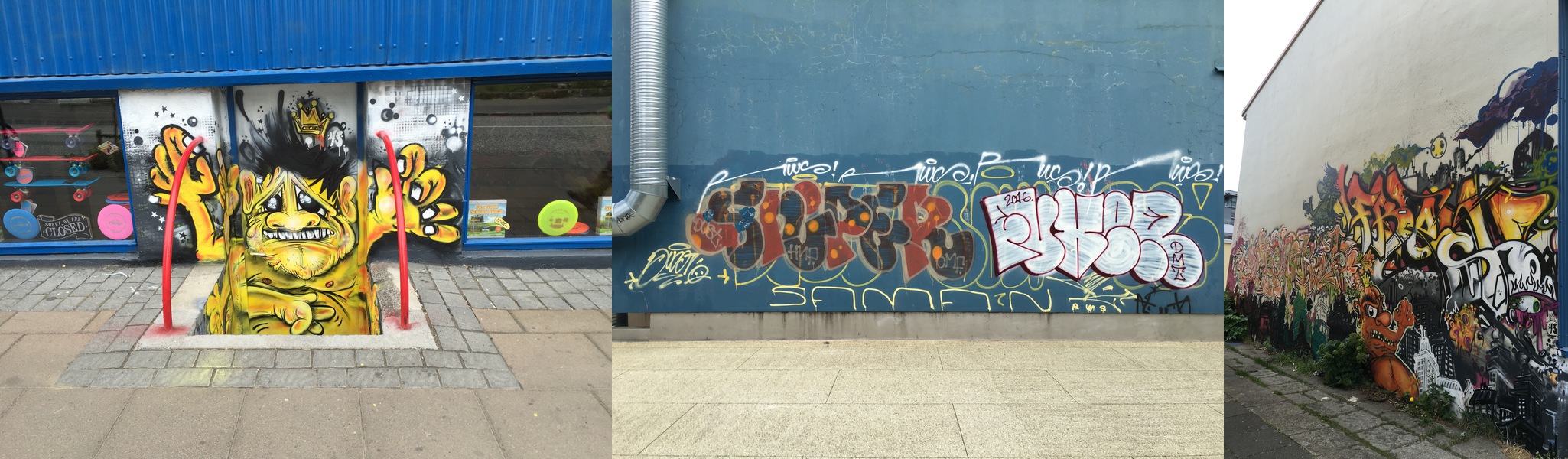
However, during our walk to the flea market we were able to see the city a bit and reminds me of Copenhagen. One thing we did notice is that there’s a lot of graffitis around.
B Notes: The graffitis added more colour and textures to the city. I wish I wasn’t as jet legged in order to enjoy them more.
After checking into the apartment and taking a nap, the kids wanted to go to a swimming pool. They have been wanting to go ever since they learned that every town has a public swimming pool. The Sundhöll swimming pool which is only a block from our apartment is the oldest swimming pool in the center of Reykjavik. Apparently lots of locals like to come to the pool early in the morning before starting their day. Unfortunately the two closest to us (including Sundhöll) are both closed for rennovation. So we ended up in Vesturbæjarlaug which is about 10 minutes drive away.
B Notes: Swimming pool and tramperlines seem to big part of Icelandic culture. After you paid at the pool, you can take off your shoes and socks. Icelanders seem to have a protocol of when to take of shoes and put them on in the pool. I can’t say I haven’t grasped the routine yet. Like A1 and A2 said, you are required to bath without swim suits on. There are diagram in the ladies locker room to show you which area of your body that you need to soap up. I have seen tourist being sent back to the shower if they come out of the locker dry at Myvatn Nature Baths. Of all the pools we have been, each has high chairs for mums to place their little wiggle bugs in while getting clean/dress. They also have little bath tubs which you could fill with water for your little nes to entertain themselves while getting clean/dress. What a thought!! Soaps are provide at all swimming pool. But if you want your fancy bath products, bring your own. Obiviously bring your own towels. One last thing, you are not allowed to bring cameras/mobile phones into the swimming area. So you can check them at the front desk or put them in the locker. Lifeguards are on the pool premise. But they don’t patrol the pool like the US. There seems to be a good understanding that parents will keep an eye on their children (as they should) while soaking in the shallow warm pools. I see parents who either take turn in playing with their infants in the shallow pools or sometimes slips a couple of floaties on their toddlers’ arms as soon as they get to the pool. Arm floaties are free and abundant at all the pools we have been. Sidenote: Iceland is an incredibly safe coountry. We have enjoyed all the days we speant there. The only mishap we had was at Westman Island. Upon fulfilling their dreams of playing at the “BEST” swimming pool in Iceland, A1 came out of the locker room without his long sleeve shirt, underwear (!!!) and his half of his REI pants (we unzipped the lower part of the pant legs to dry from our earlier beach outting). The pool front desk told us that it was the second incident that day. Once the staffs found out that A1 had no change of clothes, they went into the closet of all the abandoned clothes and gave him a smashing outfit. In the track pants he received, there was 1000 IKS. A1 did the right thing and returned the 1000 to the pool staffs. This is one incident that left all of us slightly puzzled, grossed out and tickeled.
Day 2 - Golden Circle (Þingvellir, Strokkur, Gullfoss, Kerið)
The second day of the trip was all about the Golden Circle. If you have just a short time (say 2-3 days) in Iceland, it’s definitely spending a day here. There’s plenty of tour companies that will take you around if you don’t have a car. We pretty much did the standard tour of Þingvellir, Strokkur, Gullfoss, and Kerið.
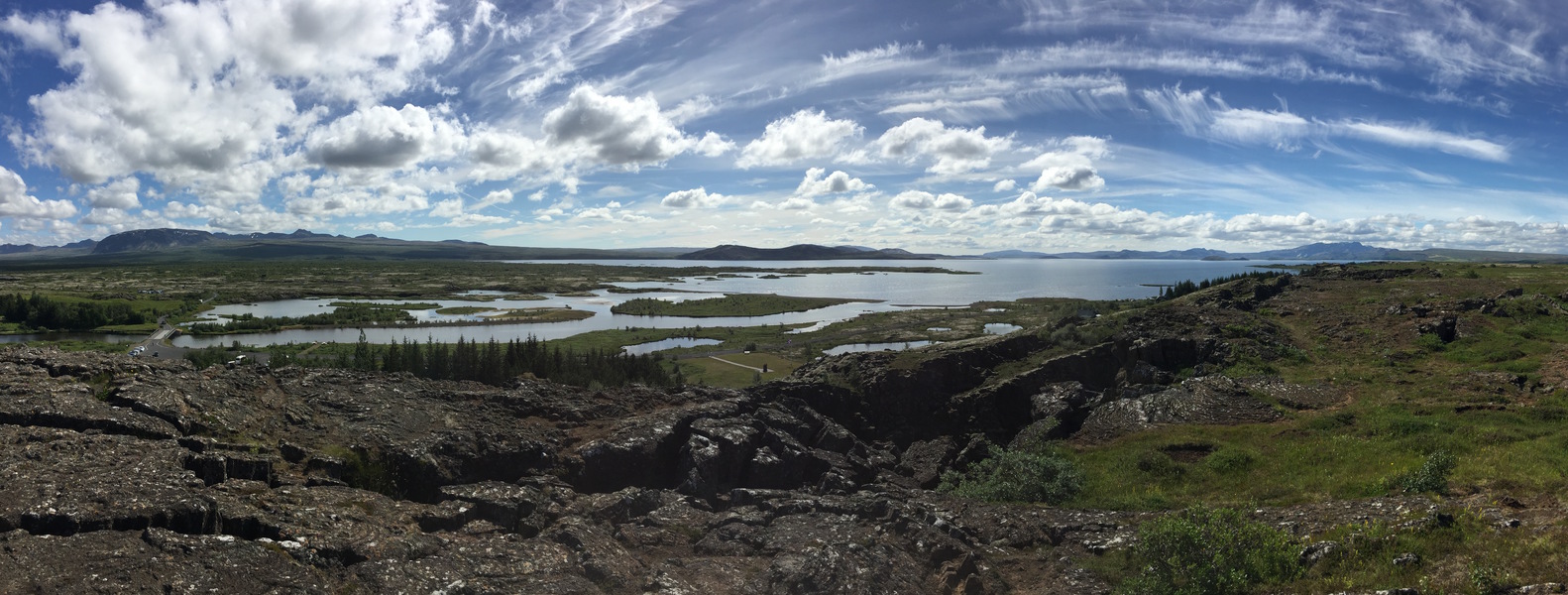
Þingvellir is our first real taste of the stunning scenery of Iceland. Even the bathroom had a really good view, though you had to pay for that privilege.
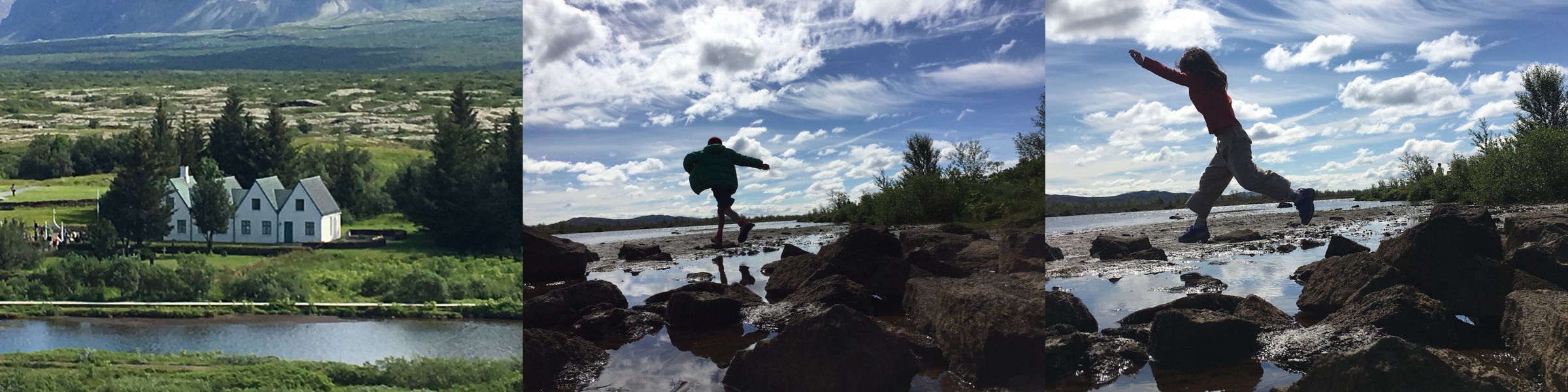
The kids also had a ton of fun playing by the river. The only thing is there are a TON of flies which I couldn’t stand. That’s one thing you will notice in most of the places – there are a TON of flies!
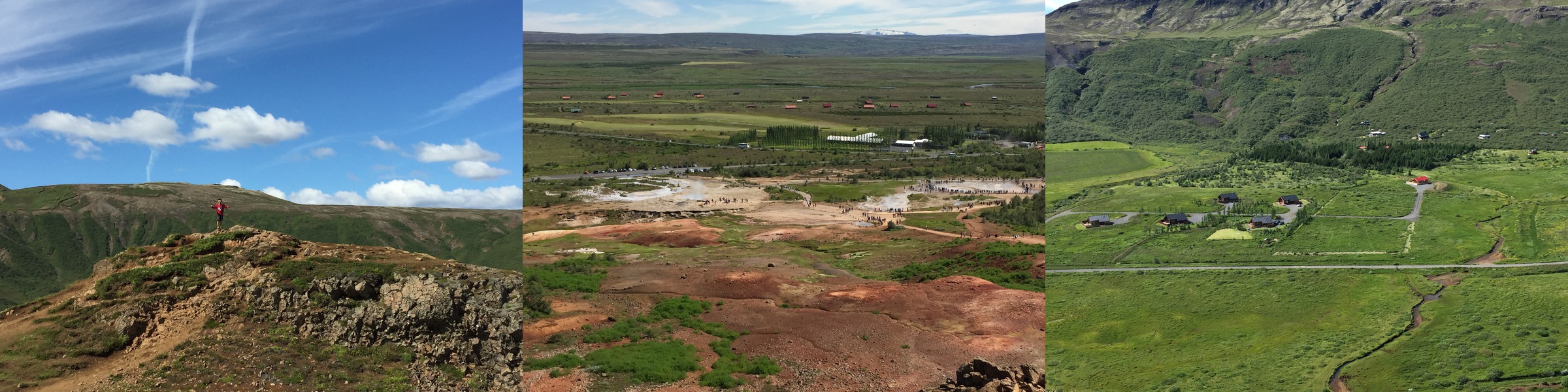
Strokkur Geysir is another standard stop on the Golden Circle. It supposedly was the first geyser described in a printed source and the first known to modern Europeans. The English word geyser derives from Geysir. We were told the geysir erupts every 10 minutes or so, which seems about right. We saw quite a few eruptions when we were there.

It’s also worth doing the little hike up to the top of the “hill” to see the beautiful view of the whole valley.
The third stop of Golden Circle is Gullfoss waterfall. This is the first waterfall we saw in Iceland and was definitely worth seeing. It is also one of the waterfalls you need to have waterproof jacket on if you want to get close to it.

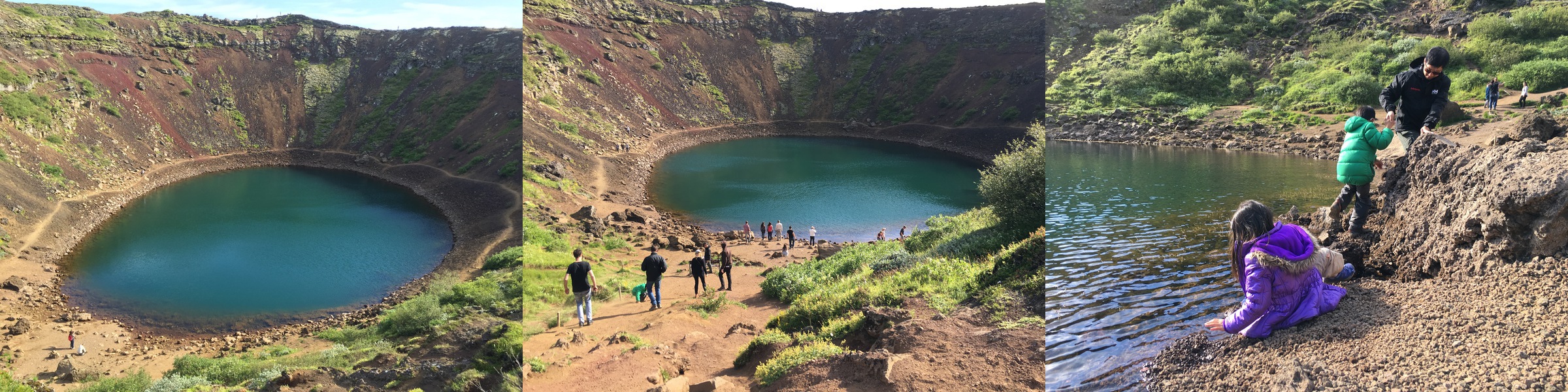
The final stop for the Golden Circle was Kerið, which is a volcanic crater lake created as the land moved over a localized hotspot (according to Wikipedia). Kerið’s caldera is one of the three most recognizable volcanic craters because at approximately 3,000 years old, it is only half the age of most of the surrounding volcanic features.
A2 the explorer had a ton of fun walking around the lake (twice!). One thing to remember is the walk down to the lake is pretty steep sand surface. A2 had quite a scare as she RAN down hill by mistake and I couldn’t reach her fast enough. She was smart enough to grab onto the back of a bench, otherwise she would have been swimming in the lake.
B Notes: This is another reasons to wear good grip shoes!
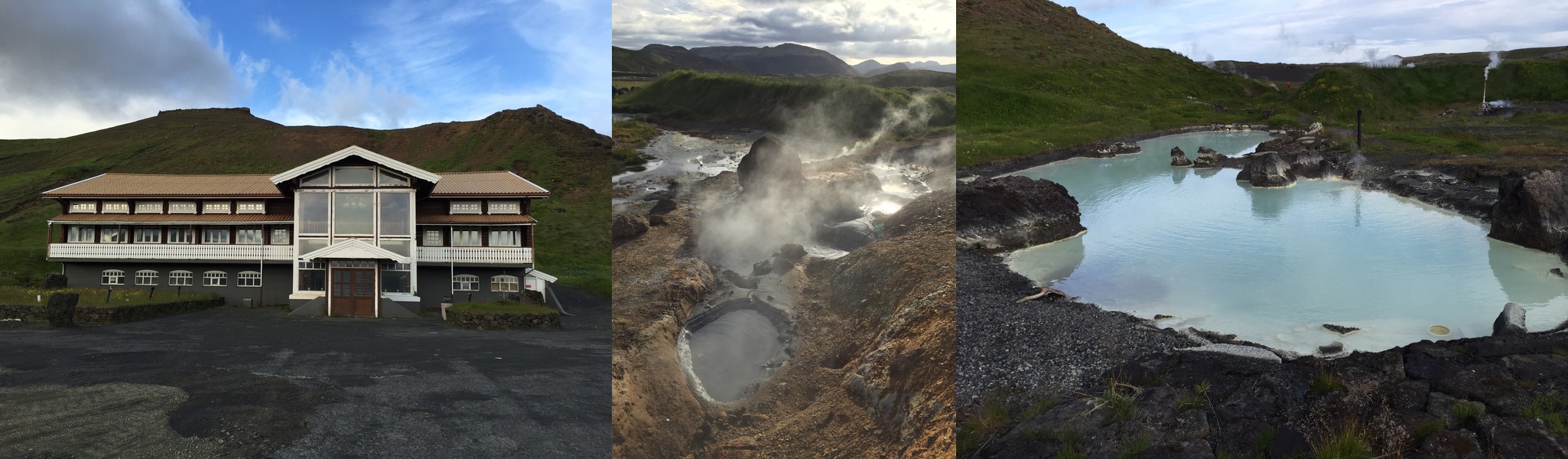
As we were driving back from the Golden Circle, we also found a few unexpected places. One of them is an abandoned (and creepy looking) hotel (64.019916,-21.397170) that has a geothermal pool next to it. B and the kids thought that was a great discovery as the only way we saw the pool is after we hiked up a uncharted steep hill.
B Notes: Although it was spooky to find an abandon hotel and desserted geothermal pool. I wish we could spend more time to take this special find in. There were no other tourist in sight except us.
Day 3 - Into the Glacier, Driving to Westfjords
On day 3, we departed our Reykjavik apartment and ready to head up to Westfjords. We first stopped by Bónus as the Westfjords guesthouse owner told us to make sure we stock up on food before going there because the closest supermarket is like 140 kilometers away.
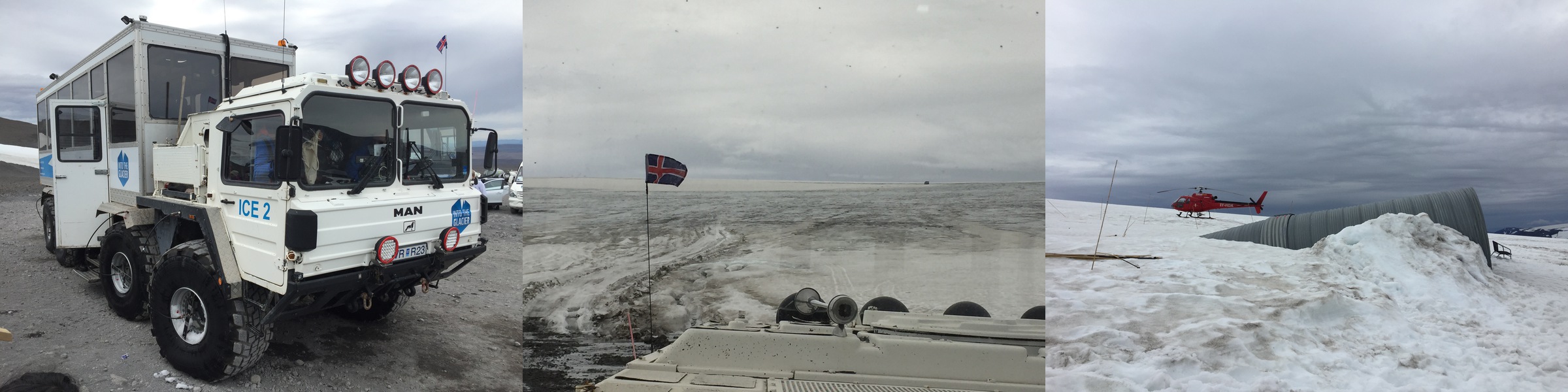
Before Westfjords, we went to our our Into the Glacier Adventure Tour. Into the Glacier offers various tours to Iceland‘s most significant new attraction, the man – made ice cave. The ice tunnel and the caves are located high on Europe‘s second largest glacier, Langjökull.
After driving a couple hours to Húsafell, we took the tour bus to the Klaki base camp (~30-40 minutes). The road from Húsafell to Klaki is a F road, which means 2WD cars cannot drive there. However, if you had your own 4WD, you can drive to the base camp yourself. And then from there, we took another ~30 minute ride on a glacier truck to get to the entrance of the glacier tunnel (64.627748, -20.486248). The glacier UN truck apparently is from Germany and was used to transport missiles.
Here are some interesting facts about the glacier tunnel:
- It took 4 years to prepare for the project and 14 months for the excavation.
- 5,500 m^3 of ice were exacavated for the tunnel and that only makes up 0.00275% of the overall glacier.
- The tunnel is 500 meters long and the largest of its kind in the world.
- We were 40 meters below the surface of the glacier, with 200 meters of solid ice still benneath us.
- One of the crevasse we walked by is 40 meters deep and a few hundred meters long.
- Sadly, the overall surface of the Langjökull glacier is receding at 2 meters per year due to global warming.
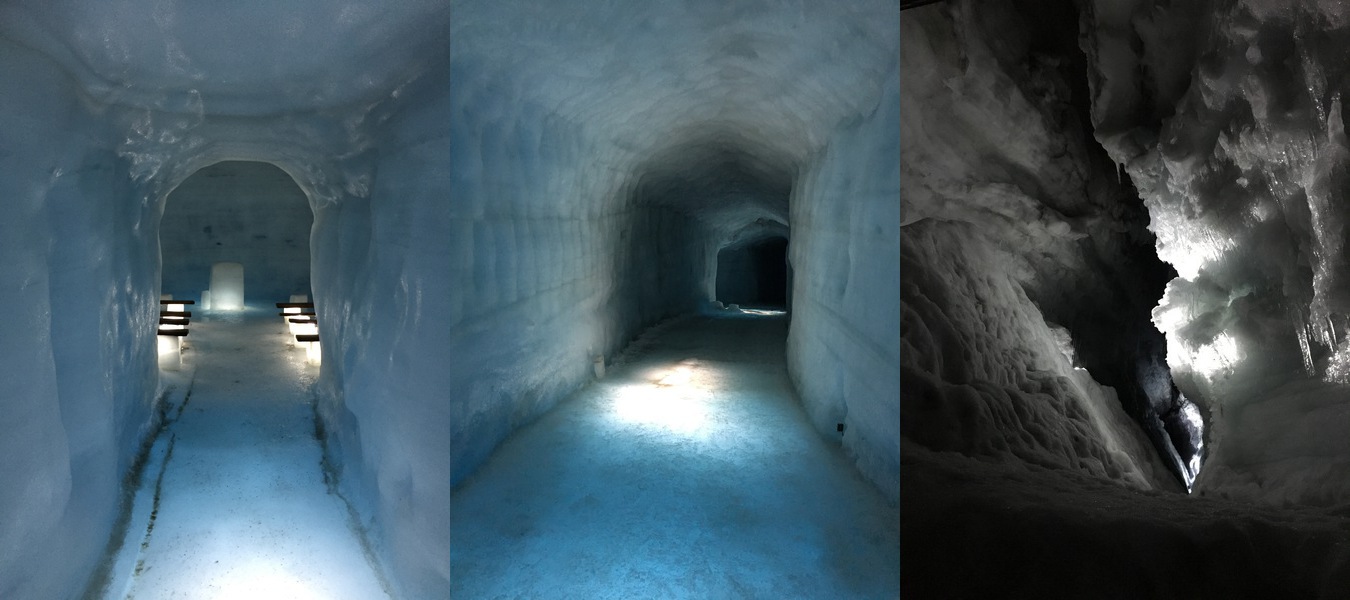
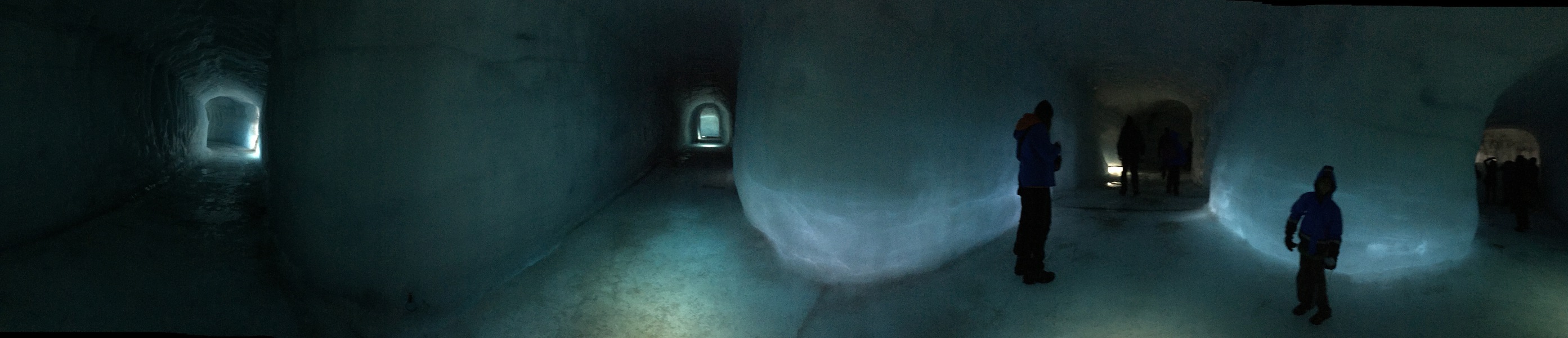
The kids had a lot of fun checking out the tunnels and tasting the glacier water. In fact, they said this is one of the best attractions in Iceland.
B Notes: Glacier water is delicious!! The Iceland often claims that we are drinking 1000 year old water! Glacier fuilfills 80% of Iceland’s water supplies.
After the glacier tour, we started our long drive to Ólafsfjörður, Westfjords where our guest house awaits. The road into Westfjords was mostly paved until we hit the fjords. From there, we were driving mostly on gravel roads. We didn’t know it at the time, but those roads were actually pretty good compared to what was to come.
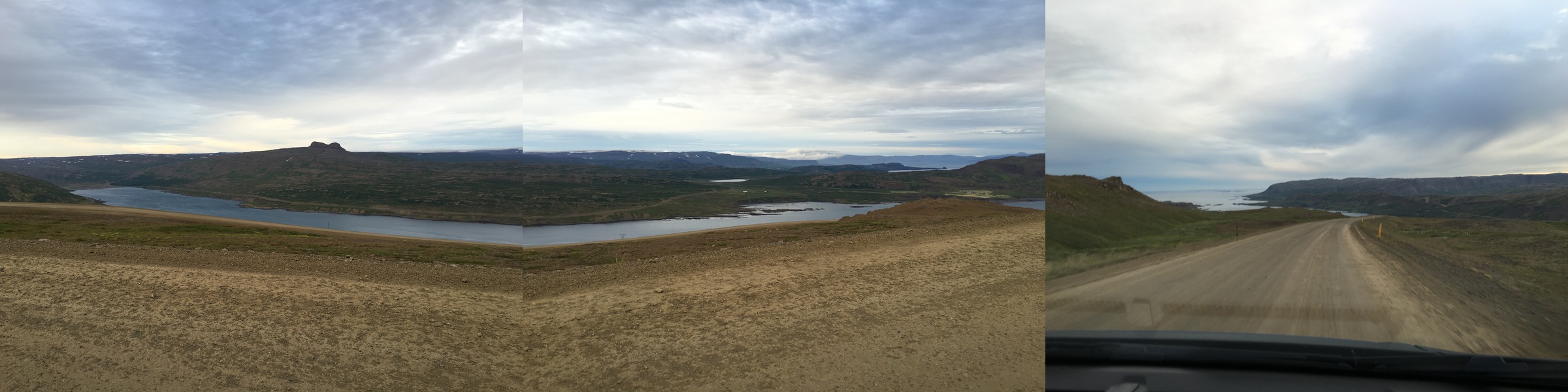
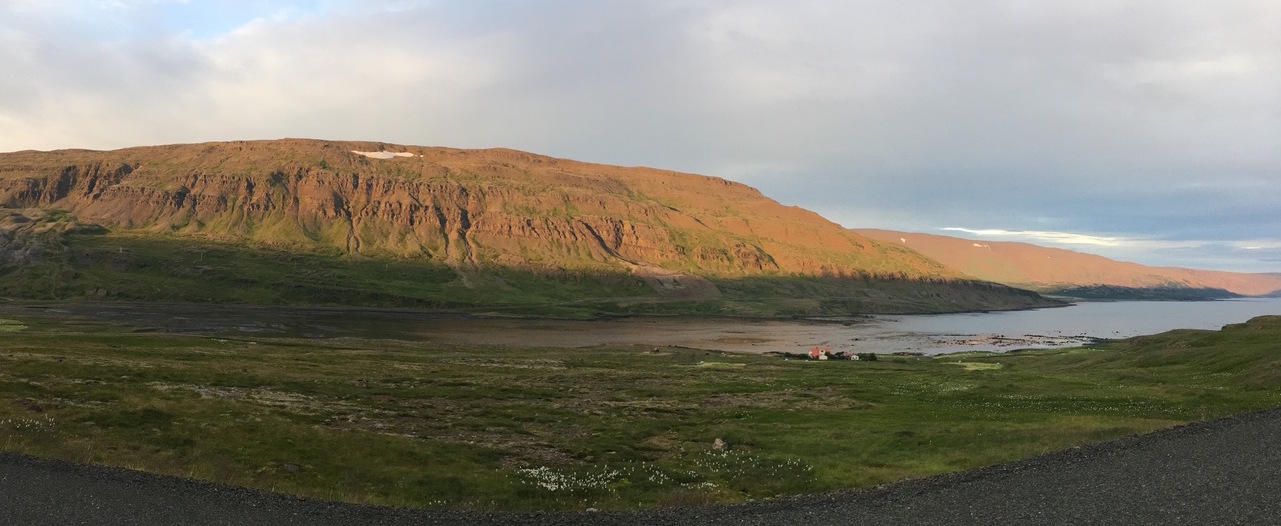
The drive took us longer than expected partly because of the gravel road, but also partly because of the beautiful sceneries of the fjords. We stopped countless times to try to capture the stunning views. It was around 9:30PM when we noticed the sunset and it lasted until almost midnight.
Day 4 - Dynjandi, Swimming Pool, Látrabjarg
Our schedule on day 4 was a bit tough as I had a work call that I needed to take mid-afternoon. Thanks to the long days (~22 hours of day light), we were able to break our day into 2 halves and went to Dynjandi waterfall in the morning and went to Látrabjarg in the evening.
After a quick breakfast, we started driving to the waterfall. Again, it was gravel roads the whole time, and this time a bit worse than the gravel roads on the way into Westfjords. We also stopped at many places to take pictures. There was lakes and streams like this picture (65.646911,-23.265231) everywhere.

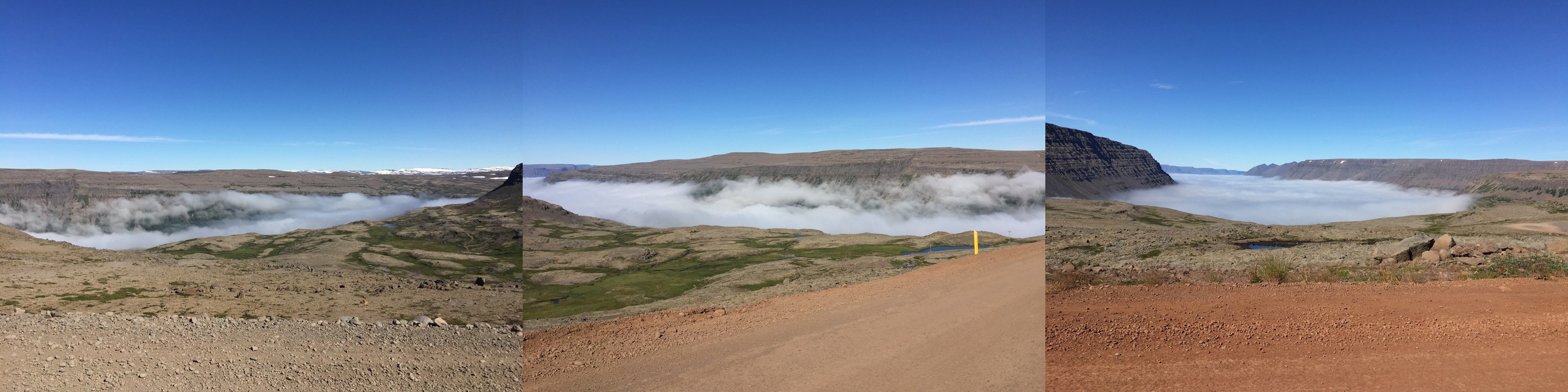
We also saw beautiful cloud-covered valleys. And all these were before we even got to our destination.
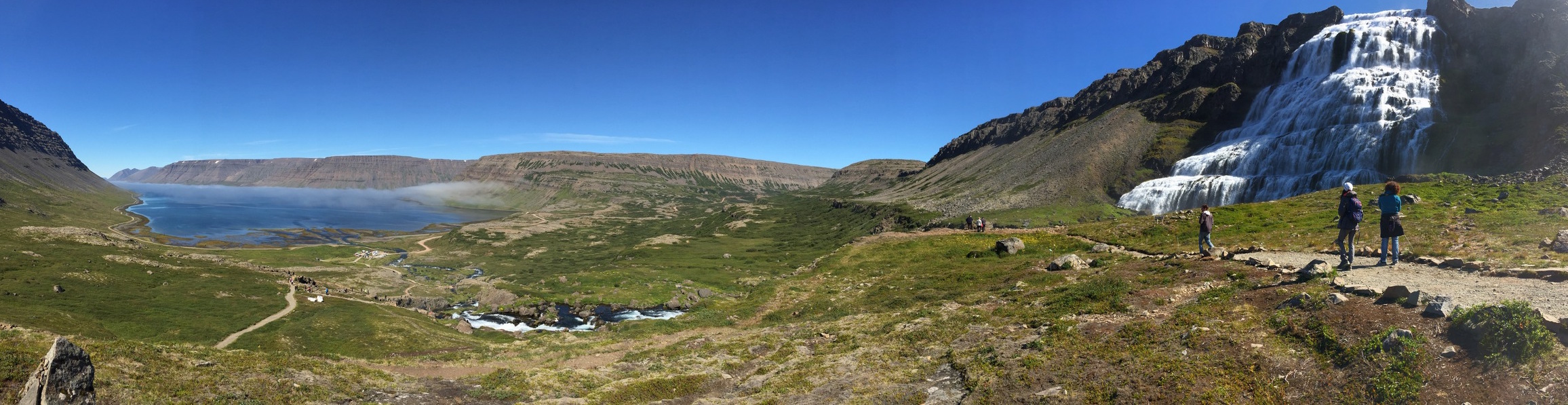
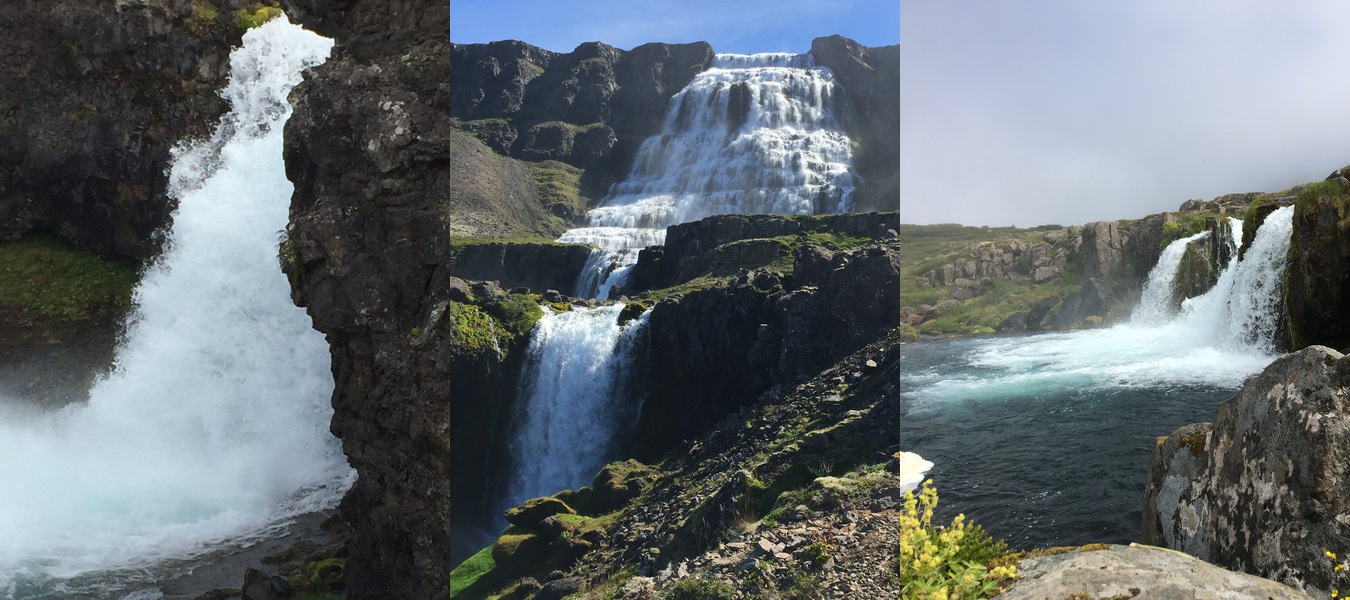
Finally we arrived at Dynjandi waterfall, which is actually a series of waterfalls with a cumulative height of 100 metres (330 ft). It is by far one of the most beautiful waterfalls we saw in Iceland. I think all of us rated it the highest amongst all of the waterfalls we visited.
B Notes: If you are there early, there may still be fog covering the top of the waterfall. Like A2 said…“it looked like it was pouring out of the sky.” A sight to be treasured for a long time to come…
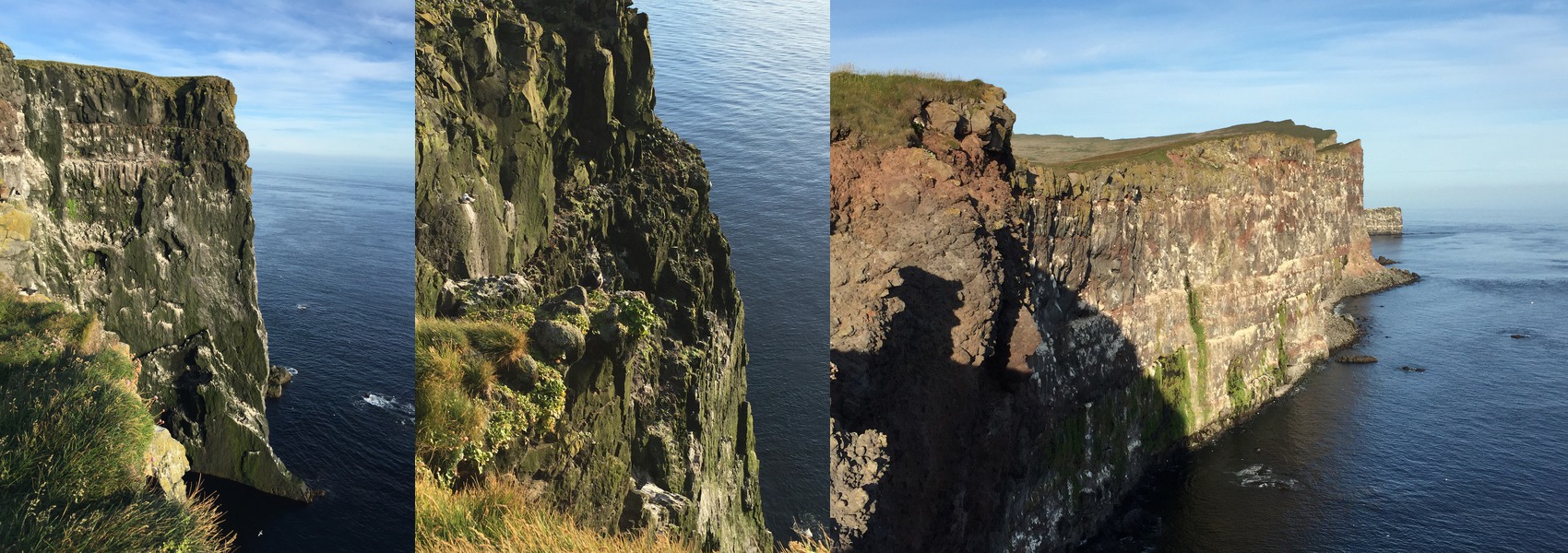
Later in the evening, after my call and some swimming time for the kids, we headed out to Látrabjarg. It is described as
The cliffs of all cliffs, Látrabjarg, are home to birds in unfathomable numbers. This westernmost point of Iceland (and Europe if Greenland and the Azores are not counted) is really a line of several cliffs, 14 kilometres long and up to 441 m high. And it’s as steep as it gets, dizzyingly so.
Also, according to Wikipedia:
The cliffs are home to millions of birds, including puffins, northern gannets, guillemots and razorbills. It is vital for their survival as it hosts up to 40% of the world population for some species e.g. the Razorbill. It is Europe’s largest bird cliff, 14km long and up to 440m high.
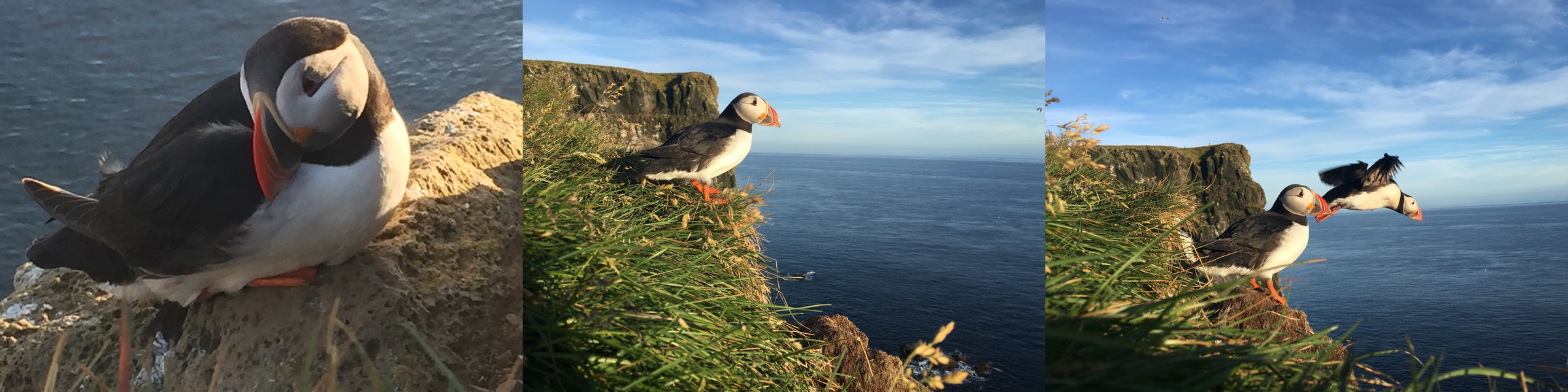
The drive to Látrabjarg is by far one of the worst. The gravel road going there is full of potholes and sharp rocks. We even saw a big SUV had one of its tires blow out. I don’t think I drove more than 40 kmh most of the time. But at the end we think it’s well worth it.
B Notes: If you plan to go see the puffins, please go in the evening. You will likely to catch more (with your camera) because they are home for a much needed rest after a day out at sea for food. This is a spot I could stay long to take more pictures…or in hope to get better pictures.
Day 5 - Reykjafjardarlaug Hot Pool, Melanesrif
The guest house owner recommended the Reykjafjardarlaug Hot Pool (65.623331, -23.468465) to us. It is next to an abandoned swimming pool. There’s a shack where one can change. It turned out to be a great little spot where some visitors will stop and take a dip in this naturally heated pool. The hot pool has three sections with each having a different temperature. B really wanted to go so we went and spent sometime bathing in it.
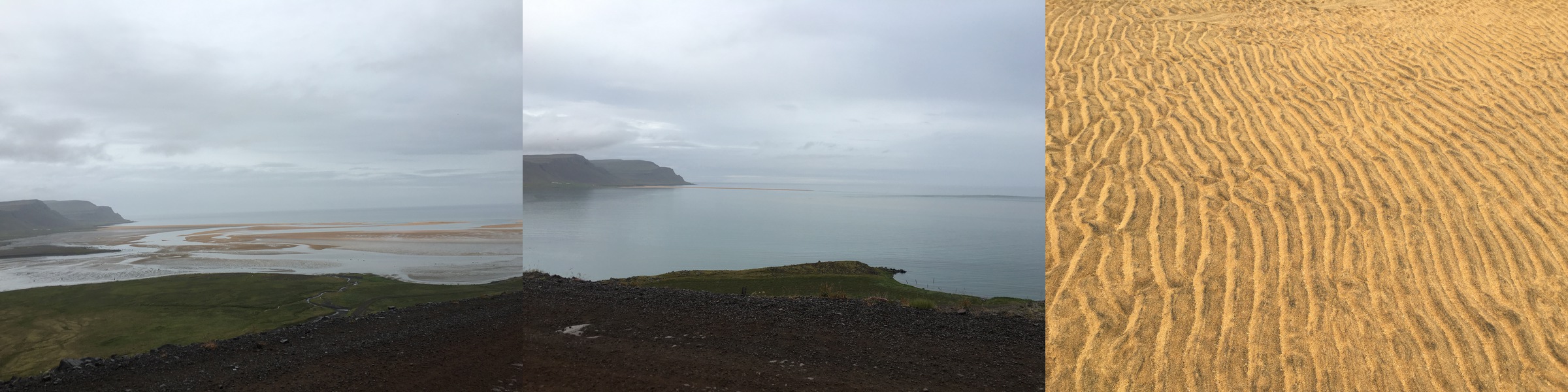
Melanesrif is another recommendation from the owner. Westfjords is known for its miles-and-miles of golden sand beach and this is one of them.
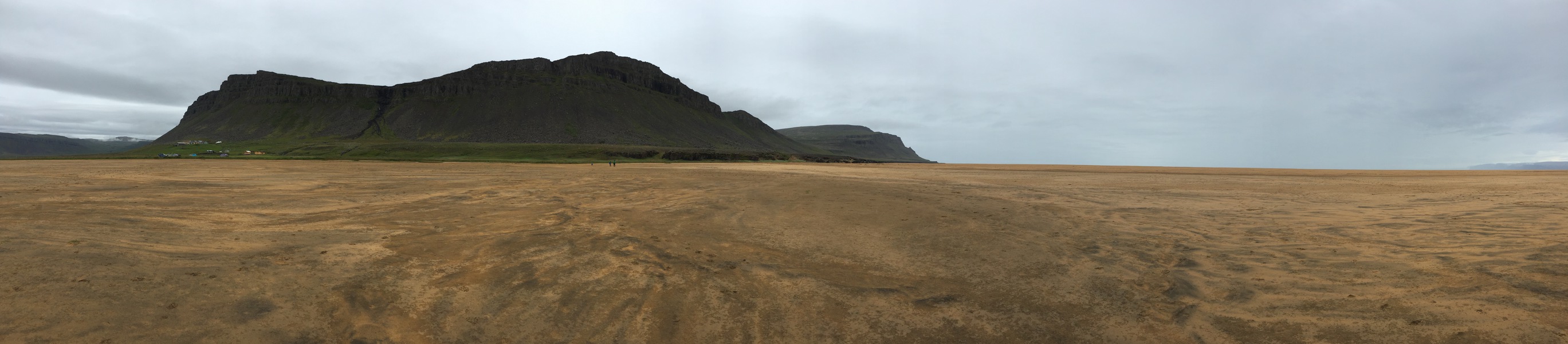
We got there during tide change, and was able to watch the tide come in (actually got chased by the tide a bit). You can see from the following picture of the before and after of the beach. The tide also made these really interesting patterns.
B Notes: Be aware of the tide schedule. I can imagine it could get dicey if you have little ones in tow and are not careful.
Day 6 - Erpsstadir Cottage, Driving to Ólafsfjörður
Day 6 - time for us to say goodbye to Westfjords. We had a long drive to Ólafsfjörður in the North. I originally planned to stop by a couple of places but ended up abandoning the plan as it will make the drive too long. We did however stop at Erpsstadir Cottage (65.000469, -21.625192) which has a solid reputation for artisan ice cream and a range of other small-batch dairy products.
We met the raven, which supposedly is a famous bird for some reason, that the owner kept as pet, saw the cows (and pigs) and bought some ice cream and white chocolate they produced. I would say this is a place worth stopping if it’s on your way (which for most people driving the ring road it should be), but no need to make a special out-of-way trip for it.

The North in general is flatter and more green.
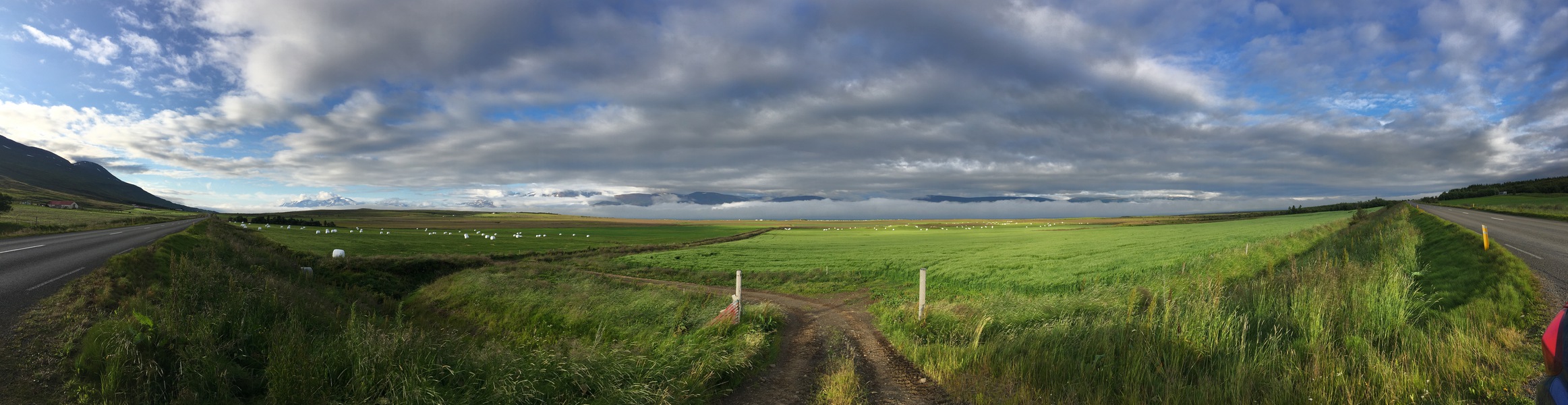
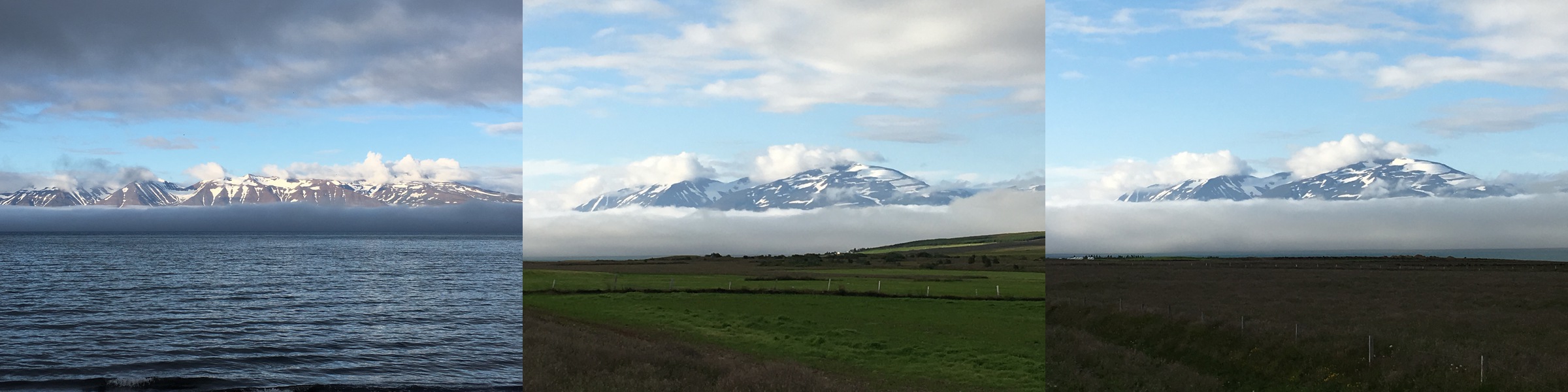
Maybe we were spoiled by the beautiful sceneries in Westfjords, we didn’t find the drive to the North as pretty. Well, until we saw the snow covered mountains surrounded by clouds, over the ocean. From there, we made multiple stops trying to capture the view, but ultimately failed.
Day 7 - Ólafsfjörður Swimming Pool, Tvistur Horseback Riding
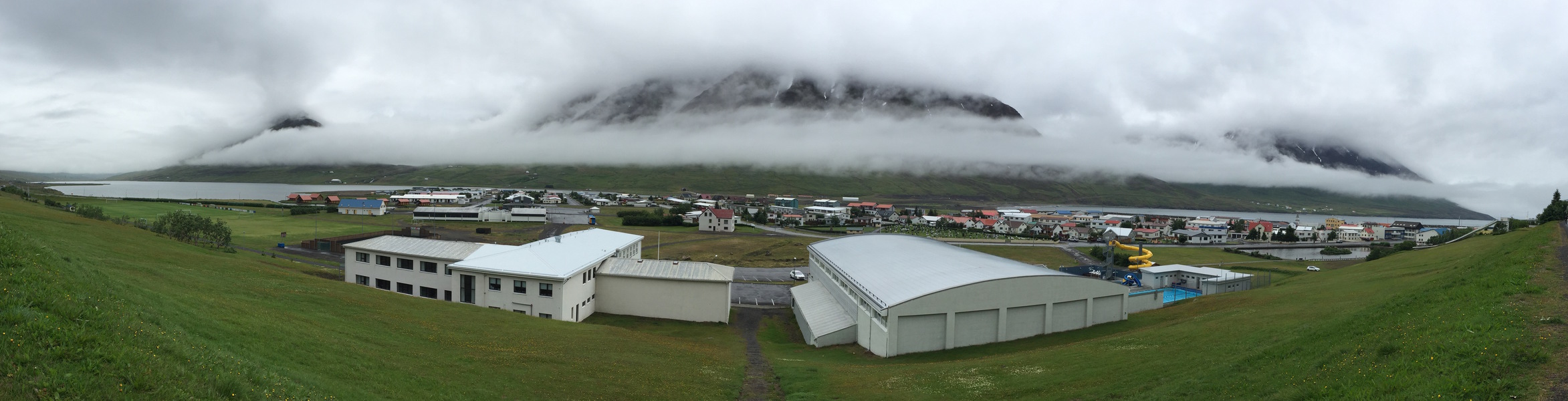
Day 7 is a slow day. I originally planned for us to go whale watching, but B insisted that we let the kids sleep in and take it easy, given they had a long day stuck in the car. After the kids woke up, they went down to the public swimming pool (see the yellow spiral tube in the picture below) and spent a couple of hours there. One thing I will say is the Icelanders sure knows how to build public pools that are fun for the kids.
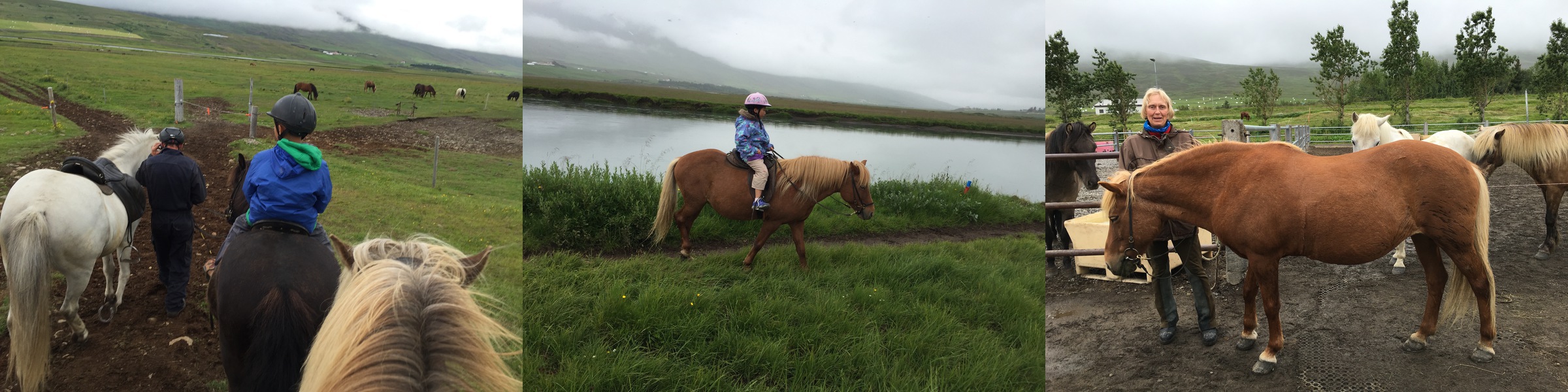
In the afternoon, we went for a nice horseback riding tour at Tvistur Horse Rental. We rode along a river and enjoyed the sceneries there.
B Notes: It was great fun for the whole family to ride together. Althought none of us are horse connoisseurs to fully appreciate the unique offerings of Icelandic horses, we had a great time riding with the owners of the horse farm. They took us along the river and actually crossing the river on horsebacks! Sidenotes: I also fell off my horse because of loose saddle. Luckily I grabbed onto the horse’s mane before falling off completely. Also, taking pictures on horseback is a challenge. My iPhone fell off my hand. The horses took pity on me and didn’t stepped on it.
Day 8 - Góðafoss, Grjótagjá, Myvatn Nature Baths
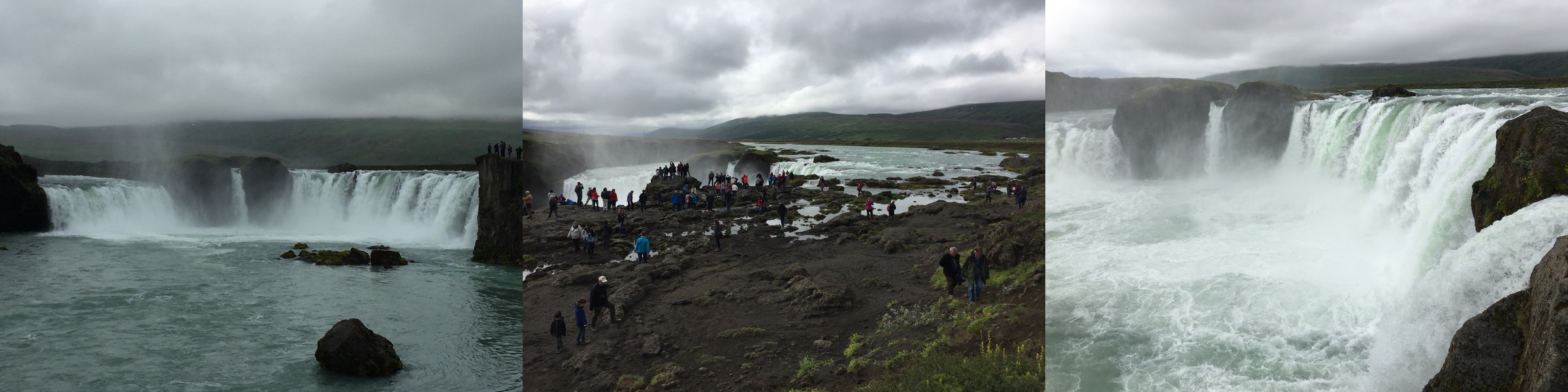
On day 8, we drove to the Lake Myvatn area. The first stop is the Góðafoss, or the waterfall of the gods. It is one of the more spectacular waterfalls in Iceland due to the width of 30 meters! While the waterfall is great, the kids had more fun jumping from rock to rock.
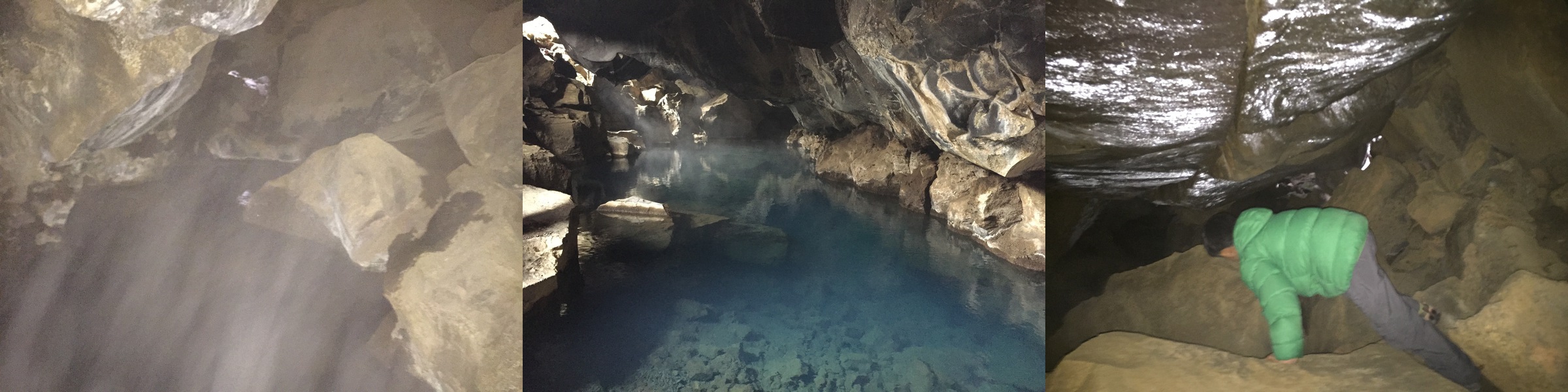
The second stop is the Grjótagjá cave. It was a popular bathing place until the 1975-84 vulcanic eruptions at Krafla brought magma streams under the area resulting in a sharp rise in water temperature to nearly 60 degrees centigrade. Today the water is around 43-46 degrees. In the following picture you can see steam coming from the heated water. The water itself is extremely clear and even with a blue tint.
It is also somewhat famous as it was featured in Game of Thrones where Jon Snow broke his vows in the cave (this is a kids friendly blog!) You can see A1 doing a bit of spelunking here.
If you are going to this cave, don’t follow Google Maps. This is one of the very few occasions that Google Maps failed us. It’s actually pretty easy to find as it’s right on Road 860. Just turn into 860 from Highway 1 and you will see a small parking lot after driving a bit.
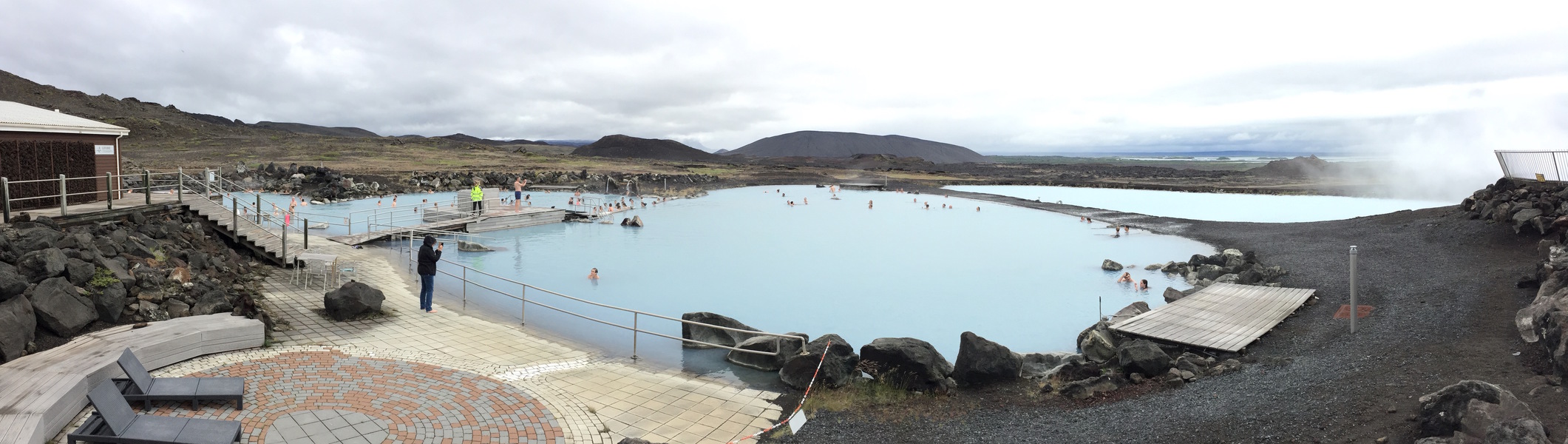
The last stop of the day is to the Myvatn Nature Baths. We chose to go to this one instead of the Blue Lagoon because it’s less touristy according to many who went there. Later on we were told that the Blue Lagoon doesn’t drain! (Not fact checked so take it with a grain of salt.)
Day 9 - Dettifoss, Driving to Höfn
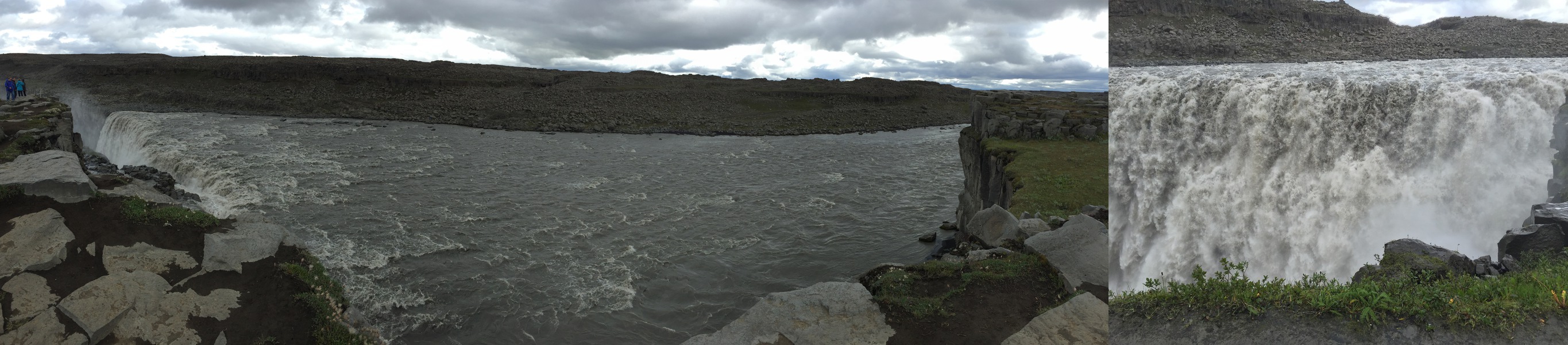
We departed the North (Ólafsfjörður, Akureyri, Lake Myvatn) on day 9 and started our journey to Höfn. However, we had to make one more stop at the Dettifoss waterfall, which is considered one of the most powerful waterfall in Europe, and the largest in Iceland by volume discharged. It is 100 metres (330 ft) wide and have a drop of 45 metres (150 ft) down to the Jökulsárgljúfur canyon, and have an average water flow of 193 m^3/second. Raincoat definitely recommended for this one.
The drive to Höfn was made complicated because we were driving through heavy fog in several areas. In one case we drove probably for a good 20-30 minutes in heavy fog where we had a hard time seeing the car infront and the one behind. We also took the Öxi pass which is a gravel road that has steep inclines and declines. The locals generally don’t recommend it as it doesn’t save much time and it’s closed during the winter.
We stayed at the Dynjandi Guesthouse right outside of Höfn. The owner is a Icelandic native, and is extremely nice and very passionate about Iceland. She gave us a tour of her farm where she kept 35 horses and 40+ sheeps. Also explained many of the Icelandic traditions to us, as well as recommended several places to visit.

Day 10 - Edge of Glacier, Ice Lagoon Zodiac Boat Tour, Driving to Vik
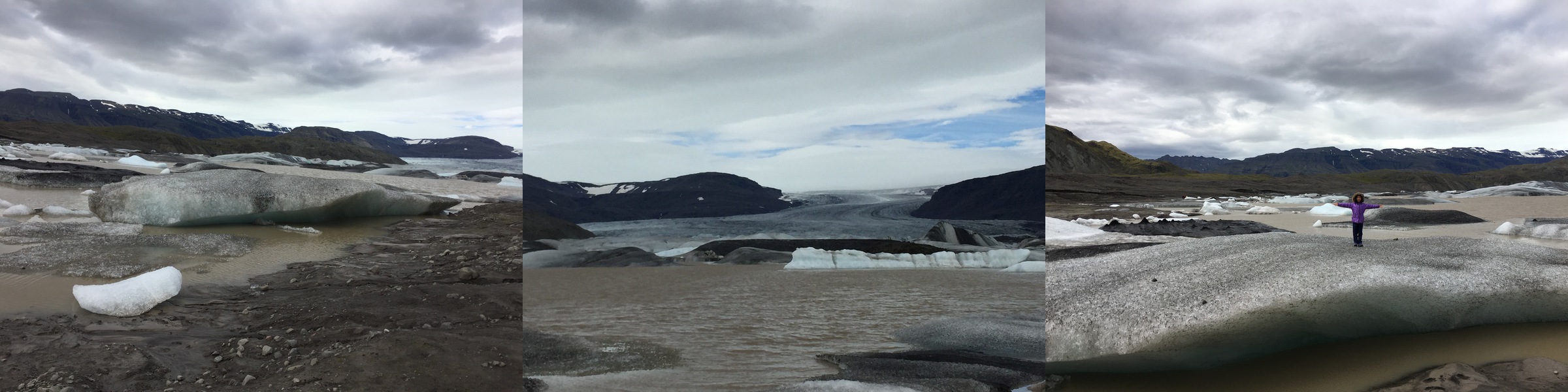
On the Dynjandi Guesthouse owner’s recommendation, we headed out in the morning to see the glacier by Hoffell. It took us a good 30 minutes to drive 5 kilometers of gravel road to finally get to the edge of the glacier (64.418780,-15.403394).
Day 10’s main event is the Ice Lagoon Zodiac Boat Tour. It is by far a better tour compare to the Amphibian Boat Tour, if you can stomach the ride to the glacier wall, as the rides on high speed rafts can be quite bumpy. The tour actually doesn’t recommend bringing children under the age of 10, but A2 was 8 and was fine. She was grinning ear to ear while she bummed along for the long ride to the edge of the glacier.
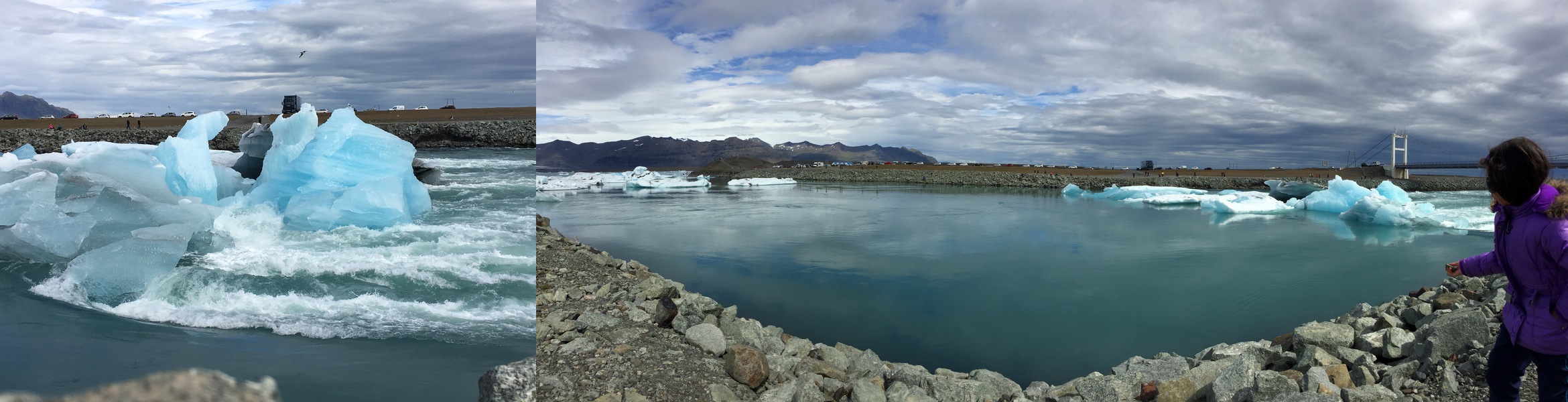
On the Zodiac we are able to cover large areas of the lagoon and get closer to the icebergs than on the amphibian. When possible the Zodiac goes almost all the way up to the glacier (as close as safe). Passengers are provided with flotation suites (very warm) and a life jacket.

The kids also had a lot of fun playing by the lagoon and making ice stacks.
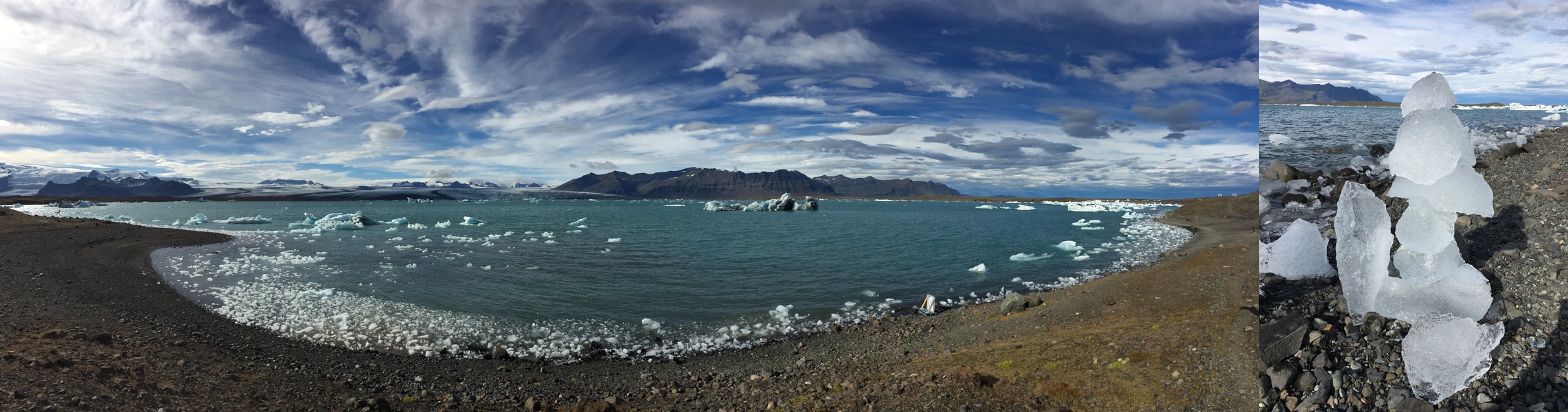
After the lagoon, we drove straight to Vik.
Day 11 - Reynisfjara, Vestmannaeyjum, Seljalandsfoss, Driving to Reykjanesbær
According to Guide to Iceland,
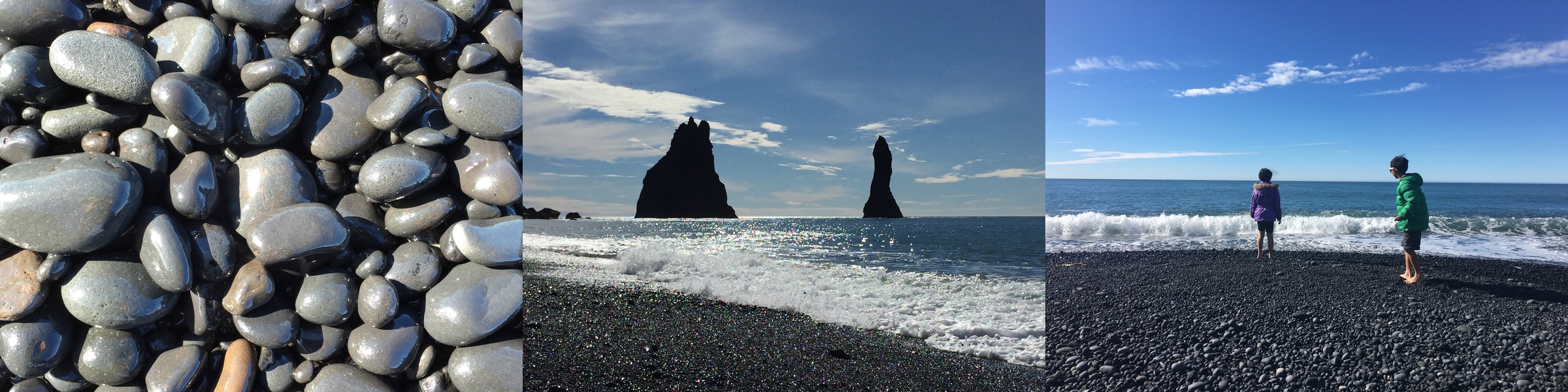
Reynisfjara is a black pebble beach and features an amazing cliff of regular basalt columns resembling a rocky step pyramid, which is called Gardar. Out in the sea are the spectacularly shaped basalt sea stacks Reynisdrangar. The area has a rich birdlife, including puffins, fulmars and guillemots.
We went down to Reynisfjara on the morning of day 11 and spent some time there. The kids loved the beach and played in the water even though it was cold. The view was certainly magnificent.
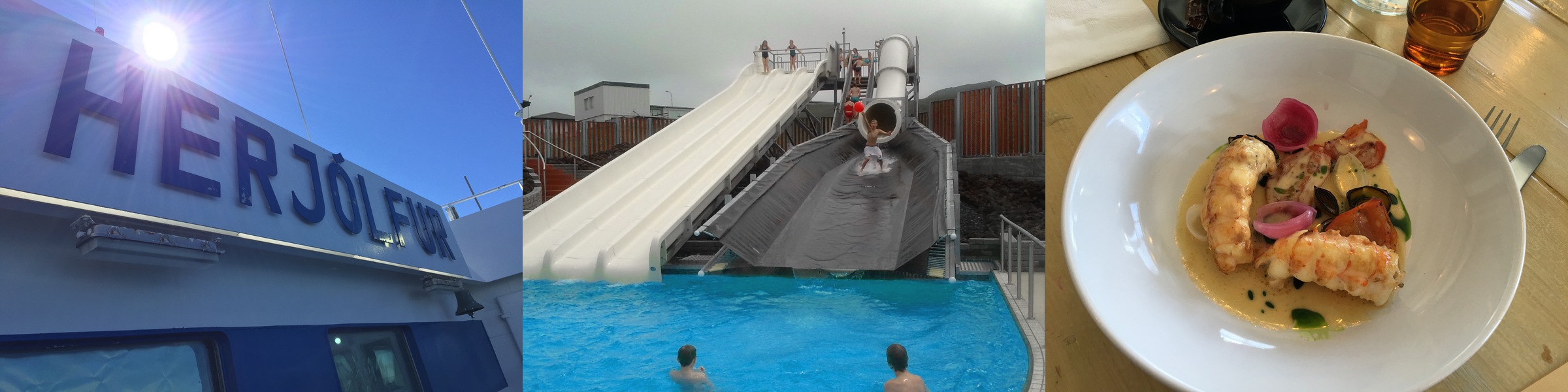
After the beach, we took the ferry (Herjolfur) to Vestmannaeyjum, or the Westman Islands. According to Wikipedia,
Vestmannaeyjar is a town and archipelago off the south coast of Iceland. The largest island, Heimaey, has a population of 4,135. The other islands are uninhabited, although six have single hunting cabins.
We spent most of our time there at the public pool and eating the best meal in Iceland.
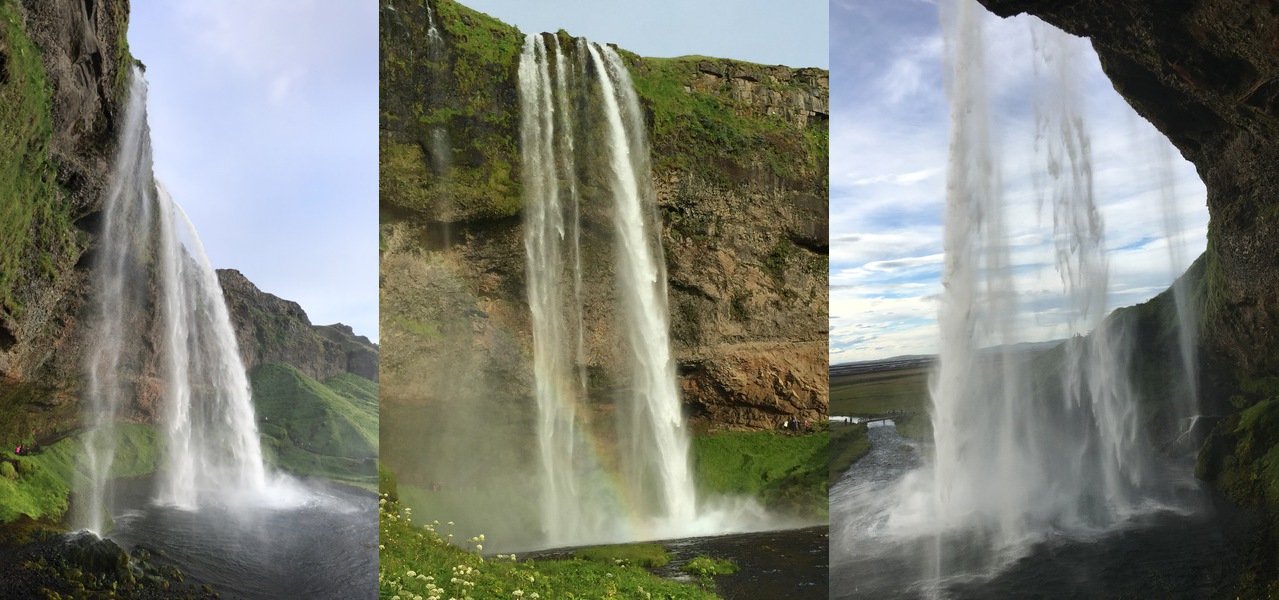
Our last attraction stop of the Iceland trip is the Seljalandsfoss waterfall which is interesting because visitors can go behind the waterfall via a small trail. Again, waterproof jacket highly recommended.
Day 12 - Shopping, Departure
Day 12 and our final day in Iceland before heading back to the US. We did mostly shopping in the morning before returning the car to IceRentalCars and taking the shuttle to the airport.
B Notes: We didn’t eat fermented shark or other exotic treats but we had an amazing time in beautiful Iceland. We are bequeathed with fond memories by vast and picturesque landscape as well as genersity of Icelanders. This trip has opened our hearts and taught us more things than we have ever expected.
Security Companies in Silicon Valley
Fri, Jun 10, 2016
Here’s a Google map of the security companies in Silicon Valley.
A Modern App Developer and An Old School System Developer Walk Into a Bar
Sun, Feb 14, 2016
Note: Thanks for all the great comments and feedback here and on Hacker News. Please keep them coming. I learned a ton and I am sure others will also.
Happy Valentine’s Day!
A modern app developer and an old school system developer walk into a bar. They had a couple drinks and started talking about the current state of security on the Internet. In a flash of genius, they both decided it would be useful to map the Internet and see what IPs have vulnerable ports open. After some discussion, they decided on the following
- They will port scan all of the IPv4 address (2^32=4,294,967,296) on a monthly basis
- They will focus on a total of 20 ports including some well-known ports such as FTP (20, 21), telnet (23), ssh (22), SMTP (25), etc
- They will use nmap to scan the IPs and ports
- They need to store the port states as open, closed, filtered, unfiltered, openfiltered and closedfiltered
- They also need to store whether the host is up or down. One of the following two conditions must be met for a host to be “up”:
- If the host has any of the ports open, it would be considered up
- If the host responds to ping, it would be considered up
- They will store the results so they can post process to generate reports, e.g.,
- Count the Number of “Up” Hosts
- Determine the Up/Down State of a Specific Host
- Determine Which Hosts are “Up” in a Particular /24 Subnet
- Count the Number of Hosts That Have Each of the Ports Open
- How Many Total Hosts Were Seen as “Up” in the Past 3 Months?
- How Many Hosts Changed State This Month (was “up” but now “down”, or was “down” but now “up”)
- How Many Hosts Were “Down” Last Month But Now It’s “Up”
- How Many Hosts Were “Up” Last Month But Now It’s “Down”
Modern App Developer vs Old School Developer
Let’s assume 300 million IPs are up, and has an average of 3 ports open.
- How would you architect this?
- Which approach is faster for each of these tasks?
- Which approach is easier to extend, e.g., add more ports?
- Which approach is more resource (cpu, memory, disk) intensive?
Disclaimer: I don’t know ElasticSearch all that well, so feel free to correct me on any of the following.
Choose a Language
Modern App Developer:
I will use Python. It’s quick to get started and easy to understaind/maintain.
Old School Developer:
I will use Go. It’s fast, performant, and easy to understand/maintain!
Store the Host and Port States
Modern App Developer:
I will use JSON! It’s human-readable, easy to parse (i.e., built in libraries), and everyone knows it!
{
	"ip": "10.1.1.1",
	"state": "up",
	"ports": {
		"20": "closed",
		"21": "closed",
		"22": "open",
		"23": "closed",
		.
		.
		.
	}
}
For each host, I will need approximately 400 bytes to represent the host, the up/down state and the 20 port states.
For 300 million IPs, it will take me about 112GB of space to store all host and port states.
Old School System Developer:
I will use one bit array (memory mapped file) to store the host state, with 1 bit per host. If the bit is 1, then the host up; if it’s 0, then the host is down.
Given there are 2^32 IPv4 addresses, the bit array will be 2^32 / 8=536,870,912 or 512MBs
I don’t need to store the IP address separately since the IPv4 address will convert into a number, which can then be used to index into the bit array.
I will then use a second bit array (memory mapped file) to store the port states. Given there are 6 port states, I will use 3 bits to represent each port state, and 60 bits to represent the 20 port states. I will basically use one uint64 to represent the port states for each host.
For all 4B IPs, I will need approximately 32GB of space to store the port states. Together, it will take me about 33GB of space to store all host and port states.
I can probably use EWAH bitmap compression to gain some space efficiency, but let’s assume we are not compressing for now. Also if I do EWAH bitmap compression, I may lose out on the ability to do population counting (see below).
Count the Number of “Up” Hosts
Modern App Developer:
This is a big data problem. Let’s use Hadoop!
I will write a map/reduce hadoop job to process all 300 million host JSON results (documents), and count all the IPs that are “up”.
Maybe this is a search problem. Let’s use ElasticSearch!
I will index all 300M JSON documents with ElasticSearch (ES) on the “state” field. Then I can just run a query that counts the results of the search where “state” is “up”.
I do realize there’s additional storage required for the ES index. Let’s assume it’s 1⁄8 of the original document sizes. This means there’s possibly another 14GB of index data, bringing the total to 126GB.
Old School System Developer:
This is a bit counting, or popcount(), problem. It’s just simple math. I can iterate through the array of uint64’s (~8.4M uint64’s), count the bits for each, and add them up!
I can also split the work by creating multiple goroutines (assuming Go), similar to map/reduce, to gain faster calculation.
Determine the Up/Down State of a Specific Host
Modern App Developer:
I know, this is a search problem. Let’s use ElasticSearch!
I will have ElasticSearch index the “ip” field, in addition to the “state” field from earlier. Then for any IP, I can search for the document where “ip” equals the requested IP. From that document, I can then find the value of the “state”.
Old School System Developer:
This should be easy. I just need to index into the bit array using the integer value of the IPv4, and find out if the bit value is 1 or 0.
Determine Which Hosts are “Up” in a Particular /24 Subnet
Modern App Developer:
This is similar to searching for a single IP. I will search for documents where IP is in the subnet (using CIDR notation search in ES) AND the “state” is “up”. This will return a list of search results which I can then iterate and retrieve the host IP.
Or
This is a map reduce job that I can write to process the 300 million JSON documents and return all the host IPs that are “up” in that /24 subnet.
Old School System Developer:
This is just another bit iteration problem. I will use the first IP address of the subnet to determine where in the bit array I should start. Then I calculate the number of IPs in that subnet. From there, I just iterate through the bit array and for every bit that’s 1, I convert the index of that bit into an IPv4 address and add to the list of “Up” hosts.
Count the Number of Hosts That Have Each of the Ports Open
For example, the report could simply be:
20: 3,023
21: 3,023
22: 1,203,840
.
.
.
Modern App Developer:
This is a big data problem. I will use Hadoop and write a map/reduce job. The job will return the host count for each of the port.
This can probably also be done with ElasticSearch. It would require the port state to be index, which will increase the index size. I can then count the results for the search for ports 22 = “open”, and repeat for each port.
Old School System Developer:
This is a simple counting problem. I will walk through the host state bit array, and for every host that’s up, I will use the bit index to index into the port state uint64 array and get the uint64 that represents all the port states for that host. I will then walk through each of the 3-bit bundles for the ports, and add up the counts if the port is “open”.
Again, this can easily be paralleized by creating multiple goroutines (assuming Go).
How Many Total Hosts Were Seen as “Up” in the Past 3 Months
Modern App Developer:
I can retrieve the “Up” host list for each month, and then go through all 3 lists and dedup into a single list. This would require quite a bit of processing and iteration.
Old School System Developer:
I can perform a simple OR operation on the 3 monthly bit arrays, and then count the number of “1” bits.
_Note: I fixed the original AND to OR based on a comment from HN. Not sure what I was thinking when I typed AND…duh!
How Many Hosts Changed State This Month (was “up” but now “down”, or was “down” but now “up”)
Modern App Developer:
Hm…I am not sure how to do that easily. I guess I can just iterate through last month’s hosts, and for each host check to see if it changed state this month. Then for each host that I haven’t checked this month, iterate and check that list against last month’s result.
Old School System Developer:
I can perform a simple XOR operation on the bit arrays from this and last month. Then count the number of “1” bits of the resulting bit array.
How Many Hosts Were “Up” Last Month But Now It’s “Down”
Modern App Developer:
I can retrieve the “Up” hosts from last month from ES, then for each “Up” host, search for it with the state equals to “Down” this month, and accumulate the results.
Old School System Developer:
I can perform this opeartion:
(this_month XOR last_month) AND last_month. This will return a bit array that has the bit set if the host was “up” last month but now it’s “down”. Then count the number of “1” bits of the resulting bit array.
How Many Hosts Were “Down” Last Month But Now It’s “Up”
Modern App Developer:
I can retrieve the “Down” hosts from last month from ES, then for each “Down” host, search for it with the state equals to “Up” this month, and accumulate the results.
Old School System Developer:
I can perform this opeartion:
(this_month XOR last_month) XOR this_month. This will return a bit array that has the bit set if the host was “down” last month but now it’s “up”. Then count the number of “1” bits of the resulting bit array.